IronVest
IronVest is a biometric fraud prevention platform and super app that secures your digital accounts and personal data. Series A, $24M.
- Role
- Director of Product Design
- Product
- Web/Mobile App, Browser Extension, Privacy Security
- Location
- Boston, MA (Remote)
The Story
I led design at IronVest across web, mobile and the browser extension, managing two product designers. IronVest had acquired Blur, a consumer privacy app, and pivoted to fraud prevention, built around a face scan that confirms it's really you before any sensitive action.
If people didn't enroll their face when they joined, that protection never switched on. This is the story of the onboarding redesign that made it work.
- to finish onboarding, down from 5, with security steps added
- 2.5 min
- to finish onboarding, down from 5, with security steps added
- of new users enrolled their face
- 75%
- of new users enrolled their face
- less drop-off during onboarding
- 20%
- less drop-off during onboarding
Role
Director of Product Design
Team
Managed two product designers; worked closely with the CEO, CTO and CPO in a team of 20+
Platforms
Web App, Mobile App, Browser Extensions
Responsibilities
Product Design, Design Leadership, Usability Testing, Design System Architecture
Company
IronVest is a biometric fraud prevention platform and security super app that makes sure only the real account owner can sign in or make a transaction. It acquired Blur in 2022.
The business shift
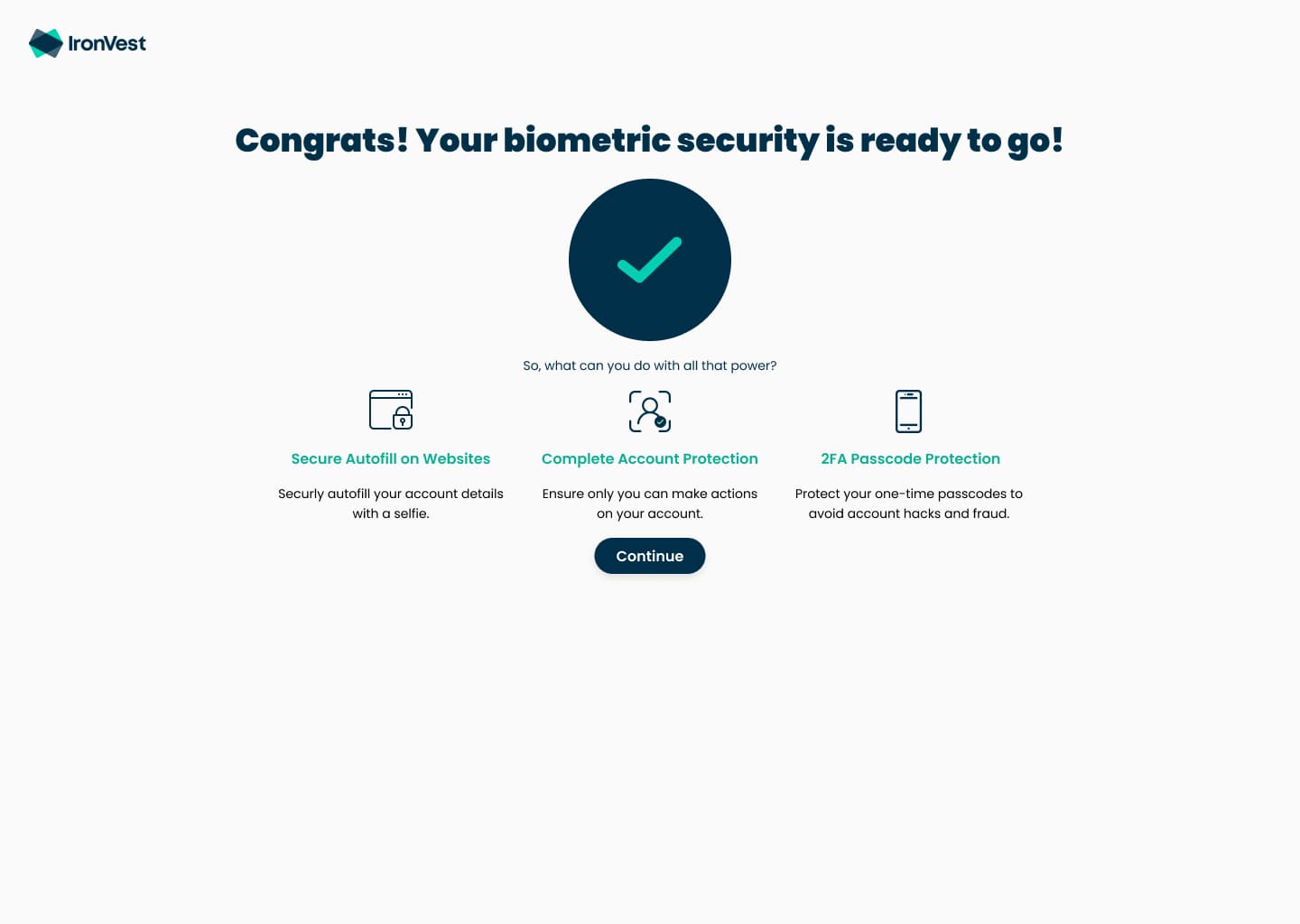
Blur protected people's data with masked emails, phone numbers and cards, plus a password manager. IronVest kept all of that and added something new: Authentic Action, a biometric check that runs whenever someone does something sensitive, like viewing a password, autofilling a login or creating a masked card.
That changed what the product needed from design:
- Biometrics had to be the foundation. Authentic Action only works for people who have enrolled their face, so enrollment rate was the number the business cared about most.
- Accounts had to be verified. Security gaps in Blur meant every new account now needed email verification.
- Everything had to feel like one product. The rebrand pulled every Blur feature into four apps, Access Guard, Privacy, Pay and Identity, across web, mobile and the extension.
The problem
Blur's onboarding was already too long, and the business needed to add email verification and a face scan for users who had chosen a privacy app on purpose. How do we add security steps, make sign-up faster, and earn privacy-minded people's trust?
50%faster, even with email verification and a face scan added
| Period | Minutes | Change |
|---|---|---|
| Blur | About 5 min | |
| IronVest | Under 2.5 min |
Blur onboarding
About 5 minutes. Setup for every product came before people could use any of them.
- 1Create an account
- 2Import accounts from another password manager
- 3Create a masked email
- 4Create a masked phone number
- 5Create a masked card
- 6See an upgrade-to-Premium pitch
- 7Reach the dashboard
IronVest onboarding
Under 2.5 minutes. Only the steps that secure the account, then people choose what to set up.
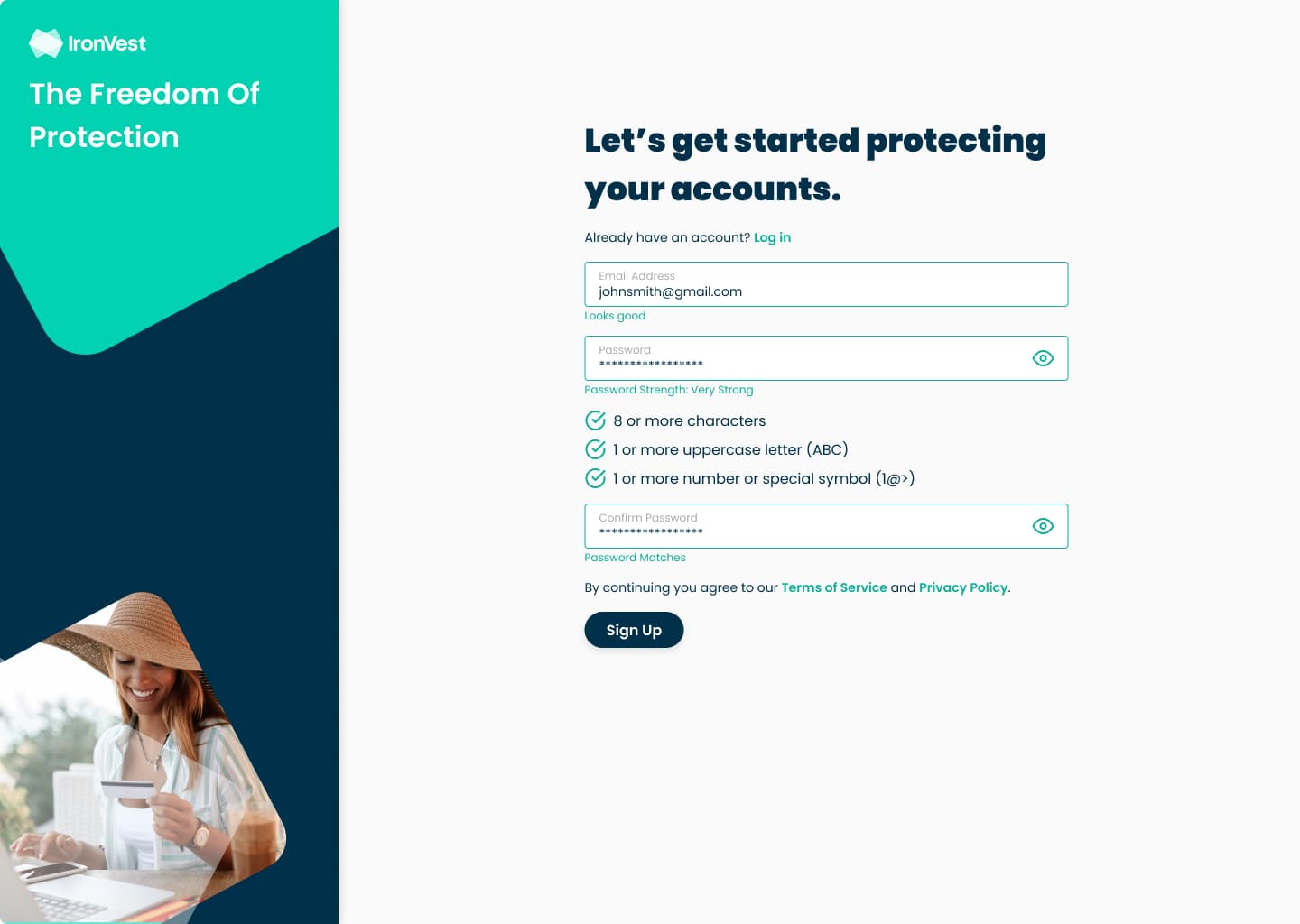
- 1Create an account
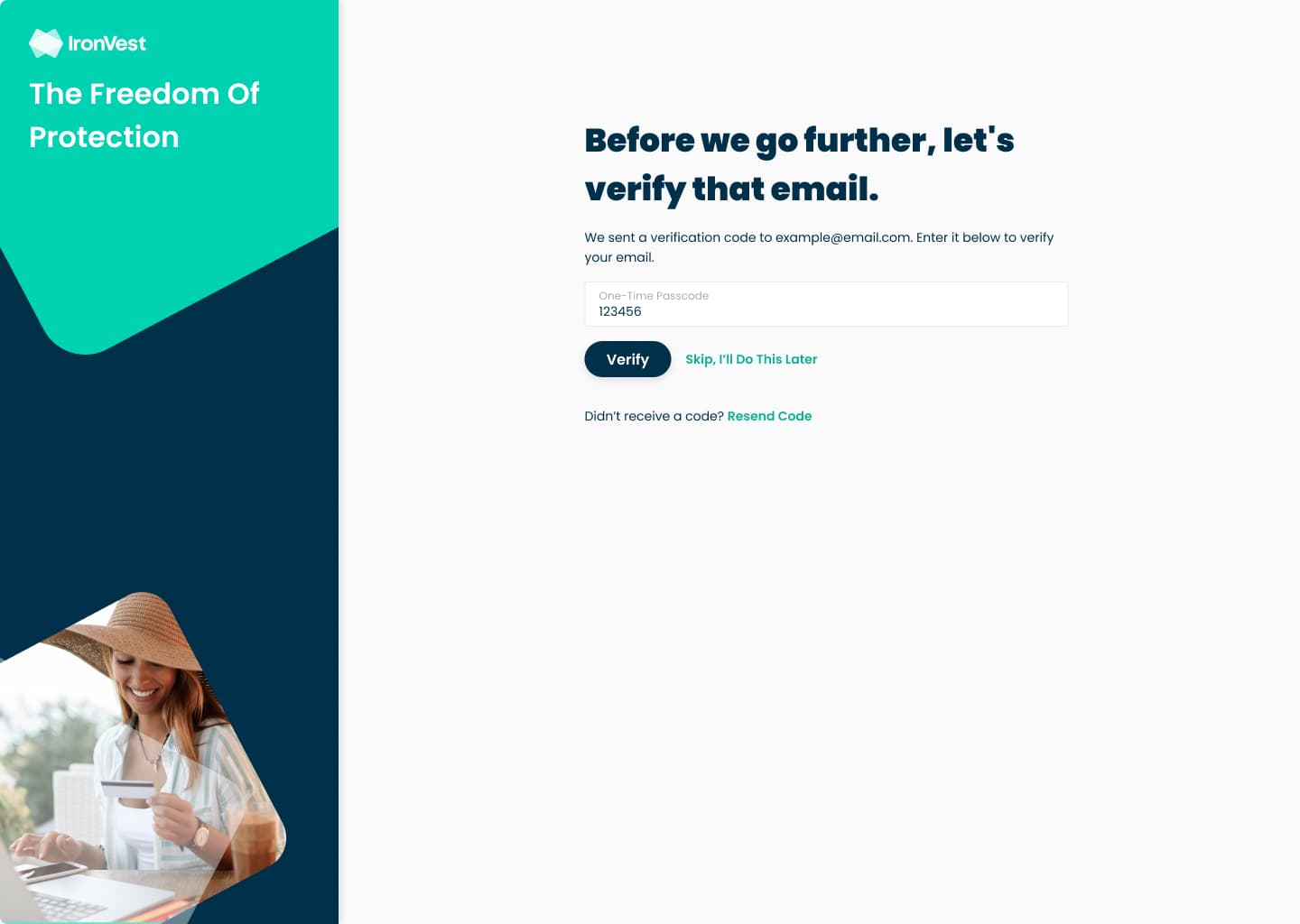
- 2Verify email with a one-time codeNew security requirement
- 3Learn how face data is stored
- 4Allow camera access
- 5Scan faceCan skip and enroll later
- 6Reach the dashboardThe Quick Start Guide offers product setup, by choice
What we learned
We mapped the gaps in Blur's onboarding with the cross-functional team, aligned with stakeholders on business goals, and interviewed Blur users, many of them long-time power users.
Setup came before value, and people dropped off.
I signed up to hide my email, and it wanted me to import every password I own before I could do that.
The face scan raised one question: where does my face go?
I use Blur so companies don't get my data. Now you want my face? Tell me exactly where it goes and who can see it.
Trust depends on explanation.
If my face can't be stolen the way a password can, I'm in. But I need to understand that first.
Key decisions
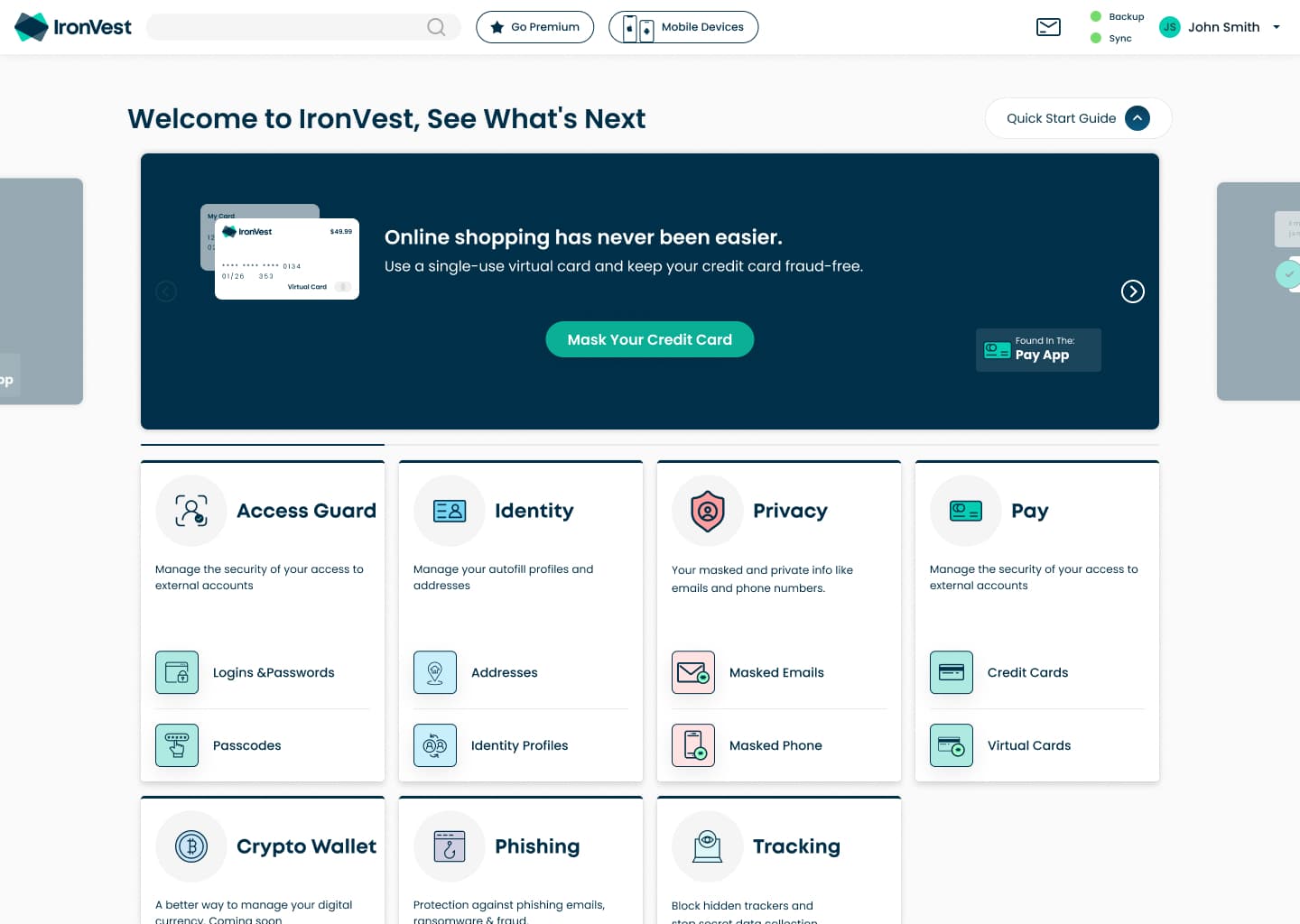
1Take product setup out of onboarding
Importing accounts and creating masks left sign-up and moved to a Quick Start Guide on the dashboard. A variation with a lighter Premium upsell made it into the final product, so the upgrade path stayed without blocking anyone.
Trade-off: Fewer people leave onboarding with masks made. The Quick Start Guide made up for it, and masking usage rose.
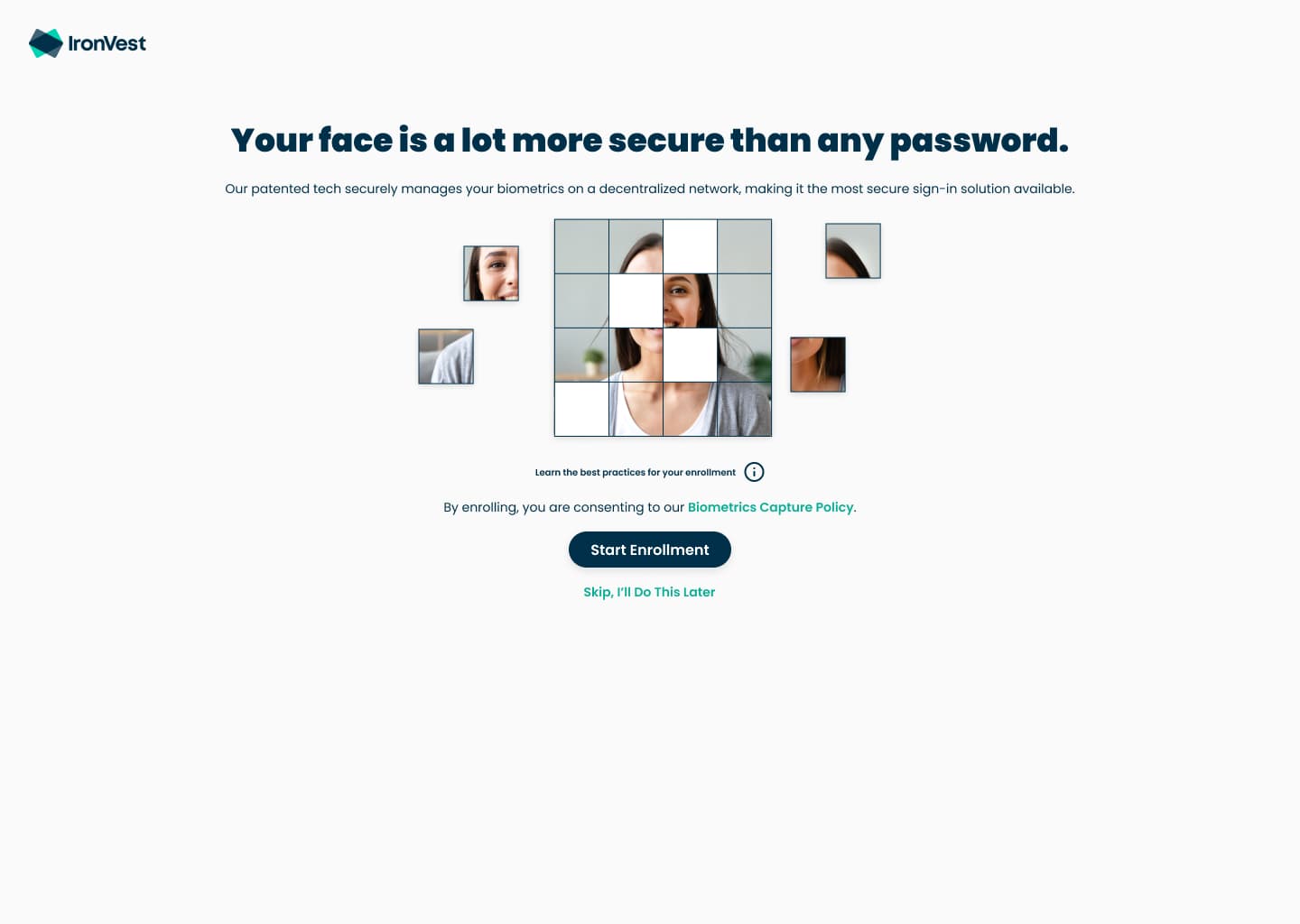
2Explain before asking
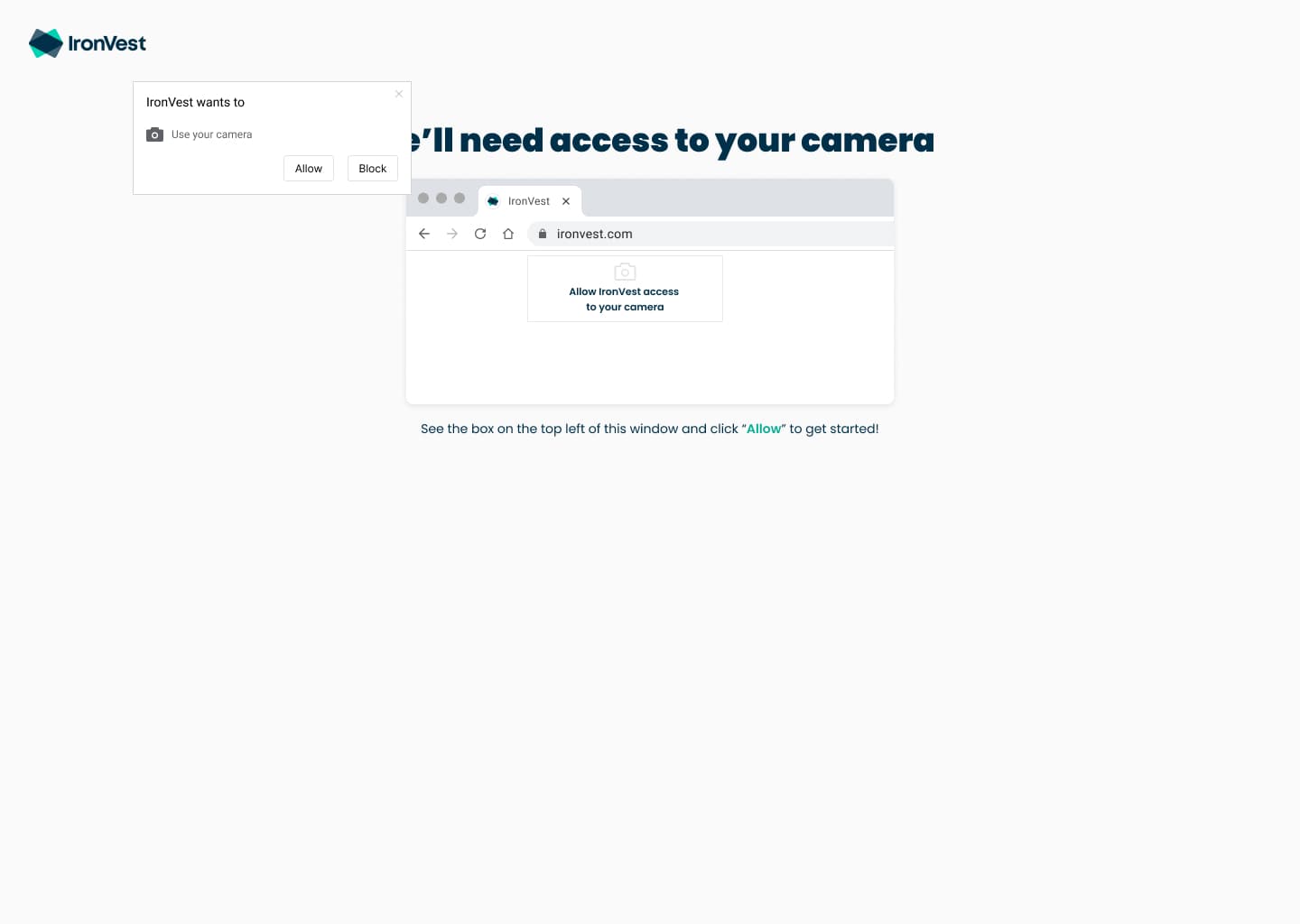
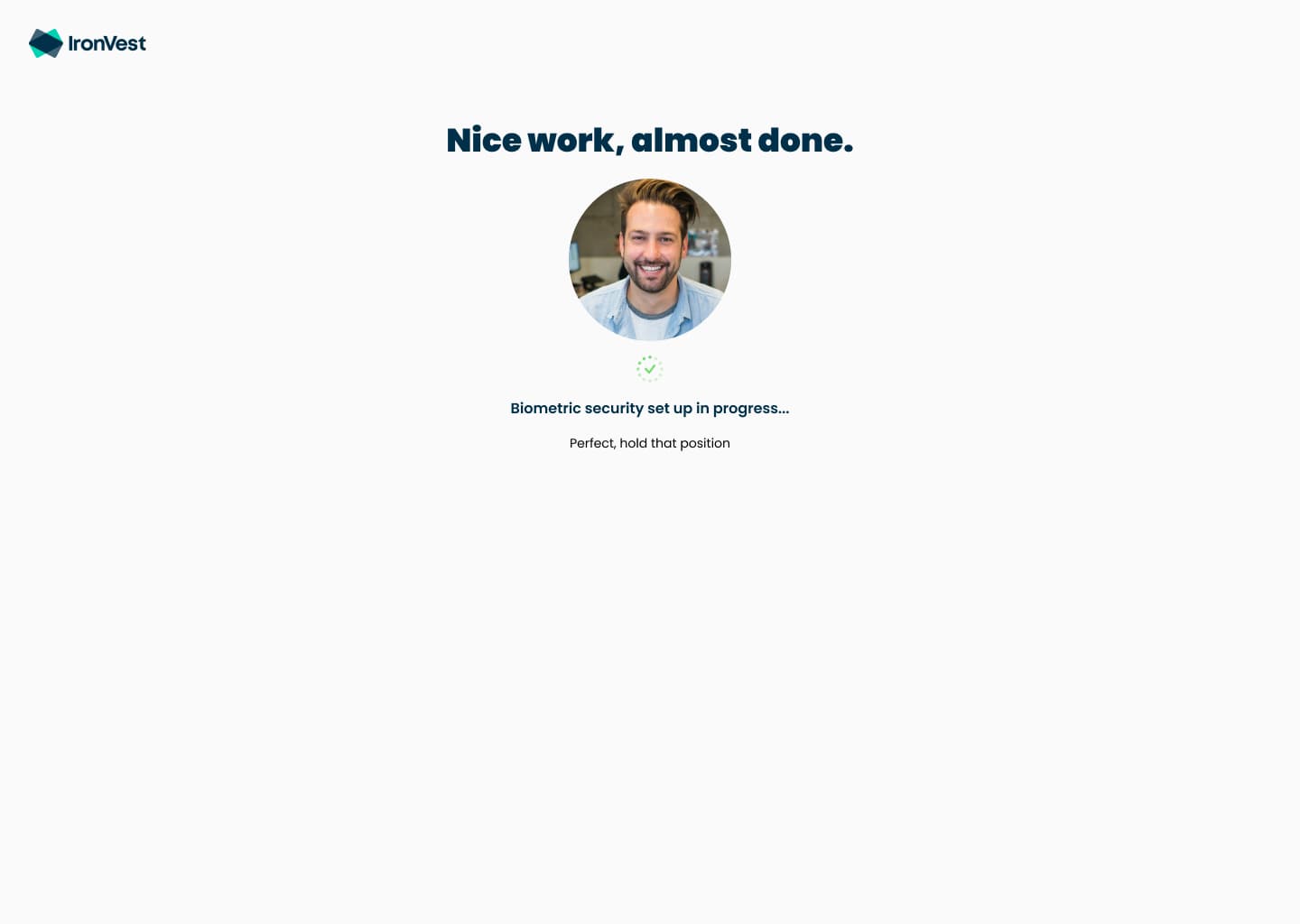
Before the camera turns on, people see how their face scan is split up and stored across a decentralized network, then exactly where to click Allow. We shaped the consent screen with legal and security, so consent was explicit, not buried.
Trade-off: One more screen in the flow, in exchange for consent people understand and the law recognizes.

3Let people skip the scan
Leadership wanted enrollment to be mandatory. I pushed back, and we made it optional with a way to enroll later. Three in four new users enrolled anyway.
Trade-off: Forcing it would have maximized coverage, but risked losing privacy-minded users at the last step.
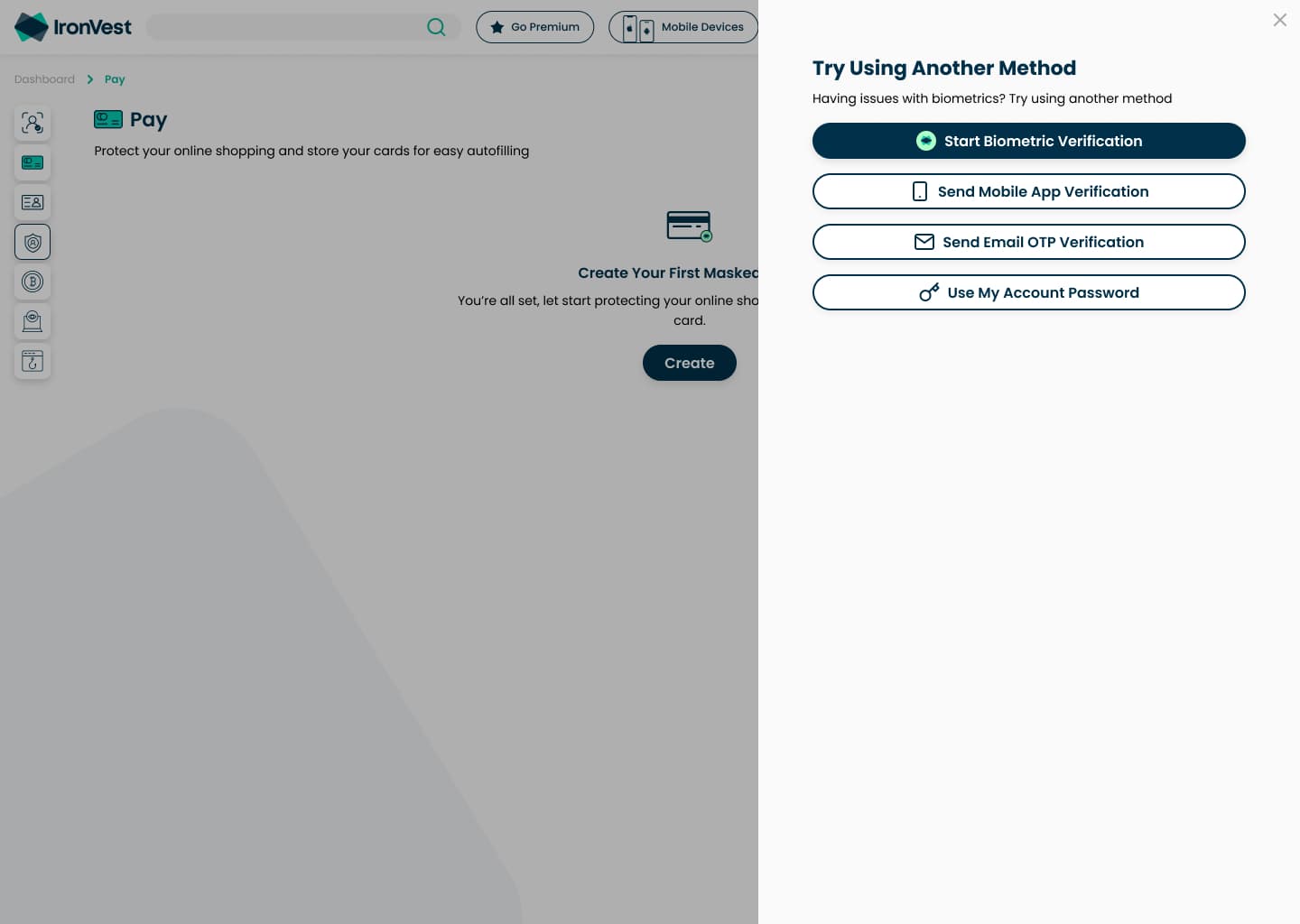
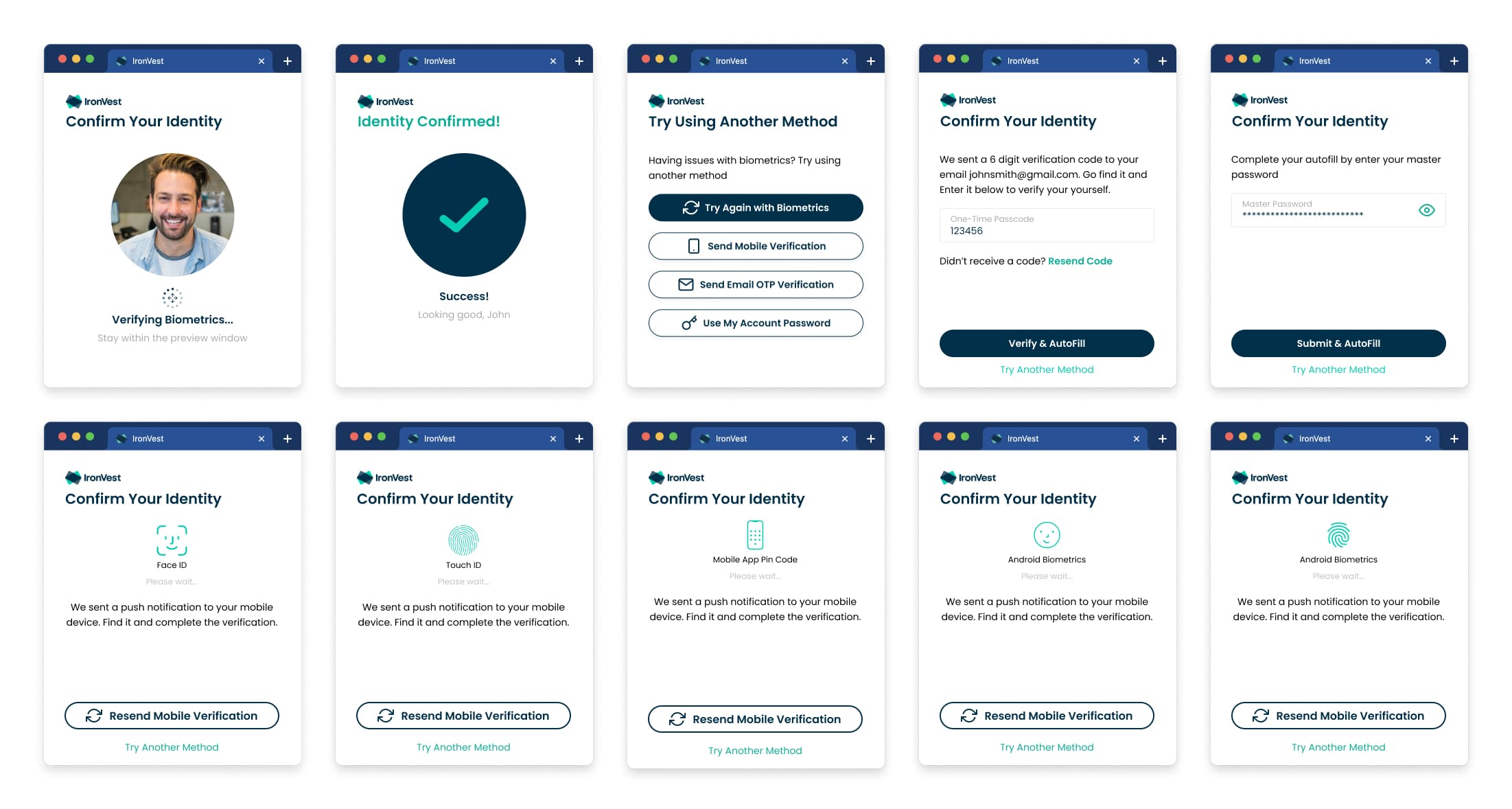
4Biometrics first, with fallbacks
A face scan is the default way to confirm it's you, and 90% of enrolled users chose it. No camera? People were pointed to a laptop or webcam, and a one-time code, a phone notification or the account password always worked.
Trade-off: More methods to design and maintain, so no one is ever locked out.
The design
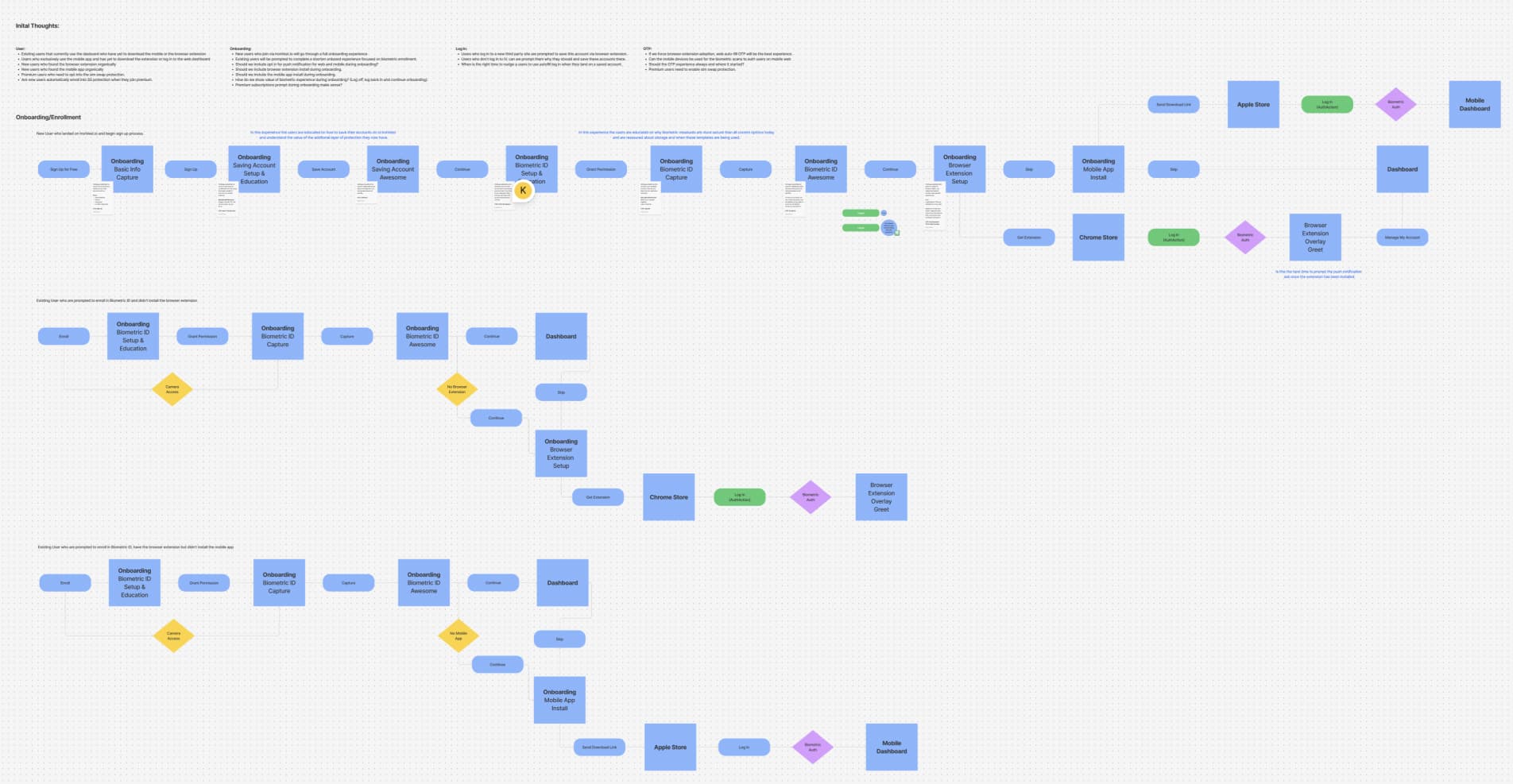
Every screen
Results
- of new users enrolled their face, above the 70% industry benchmark
- 75%
- of new users enrolled their face, above the 70% industry benchmark
- of enrolled users verified sensitive actions with a face scan
- 90%
- of enrolled users verified sensitive actions with a face scan
- average likelihood-to-recommend score out of 10, up from about 7.6 for Blur
- 9+
- average likelihood-to-recommend score out of 10, up from about 7.6 for Blur
- higher 30-day retention
- 15%
- higher 30-day retention
The changes are IronVest results: 20% lower drop-off, 15% higher 30-day retention and 75% enrollment. The Blur starting points are estimates for a consumer security app of about 300,000 users, not exported analytics: 40% onboarding drop-off, and 12% of people who finished still active after 30 days. For context, 68% of consumers abandoned a financial app's onboarding in 2022 (Signicat, The Battle to Onboard), and finance apps keep about 3 to 7% of installs after 30 days (AppsFlyer).
| Step | Blur | IronVest |
|---|---|---|
| Start sign-up | 1000 | 1000 |
| Finish onboarding | 600 | 680 |
| Enroll their face | n/a | 510 |
| Still active after 30 days | 72 | 94 |
We measured trust two ways. In a post-onboarding survey, people rated trust and security 35% higher than for Blur. In Net Promoter Score (NPS) surveys run in Google Surveys, the average likelihood-to-recommend score rose from roughly 7.6 out of 10 to just over 9. In interviews, Blur power users said Authentic Action gave them more trust in the product and in their own actions.
How I led design
I managed two product designers and set up a user-first process, so research shaped both design and business decisions. Work moved outward from the team every week.
Design team
Me and two product designers
- Weekly design calls
- Design explorations
- Design team reviews
Product and engineering
Product managers, engineers and users
- Working sessions
- Research and discovery
Leadership
CEO, CTO, CPO and the wider team
- Team- and stakeholder-wide design reviews
Pushing back on forced enrollment
The board and stakeholders wanted to make the face scan mandatory during onboarding, since every enrolled user strengthened Authentic Action. I pushed back with what we'd learned from research: Blur's users valued their privacy, and requiring a face scan was a big ask that could confirm their worst suspicions.
Instead, I proposed earning enrollment through transparency. If we showed people exactly how their biometrics were stored and that the scan was there for their protection, they'd have the confidence to opt in. That became the explainer screen before the scan, with a way to skip and enroll later. 75% of new users enrolled anyway, and 90% of them went on to choose the face scan over every other way to verify.
Also shipped
Onboarding was one part of the full rebuild from Blur to IronVest. These shipped alongside it.
Blur to IronVest, screen by screen
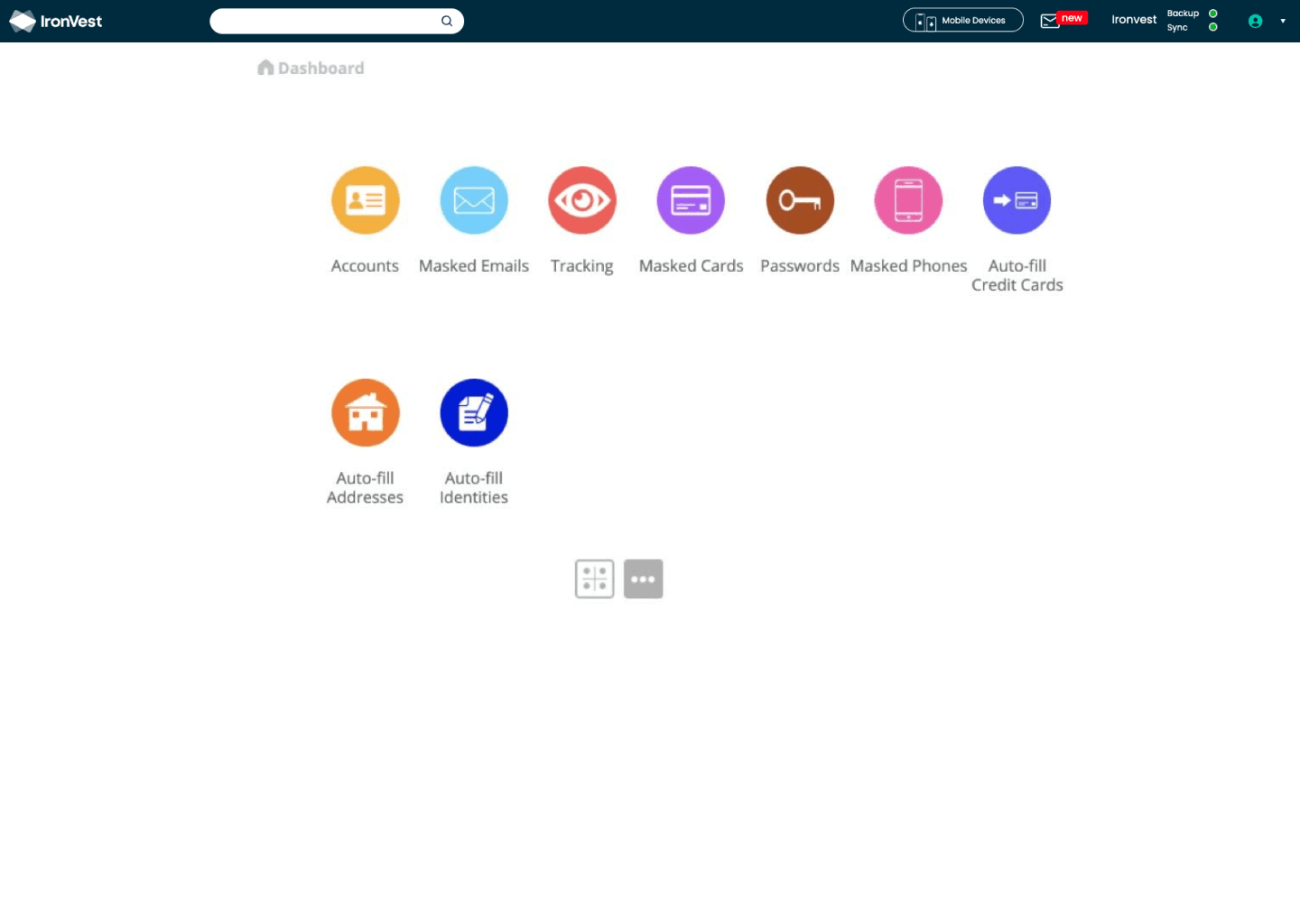
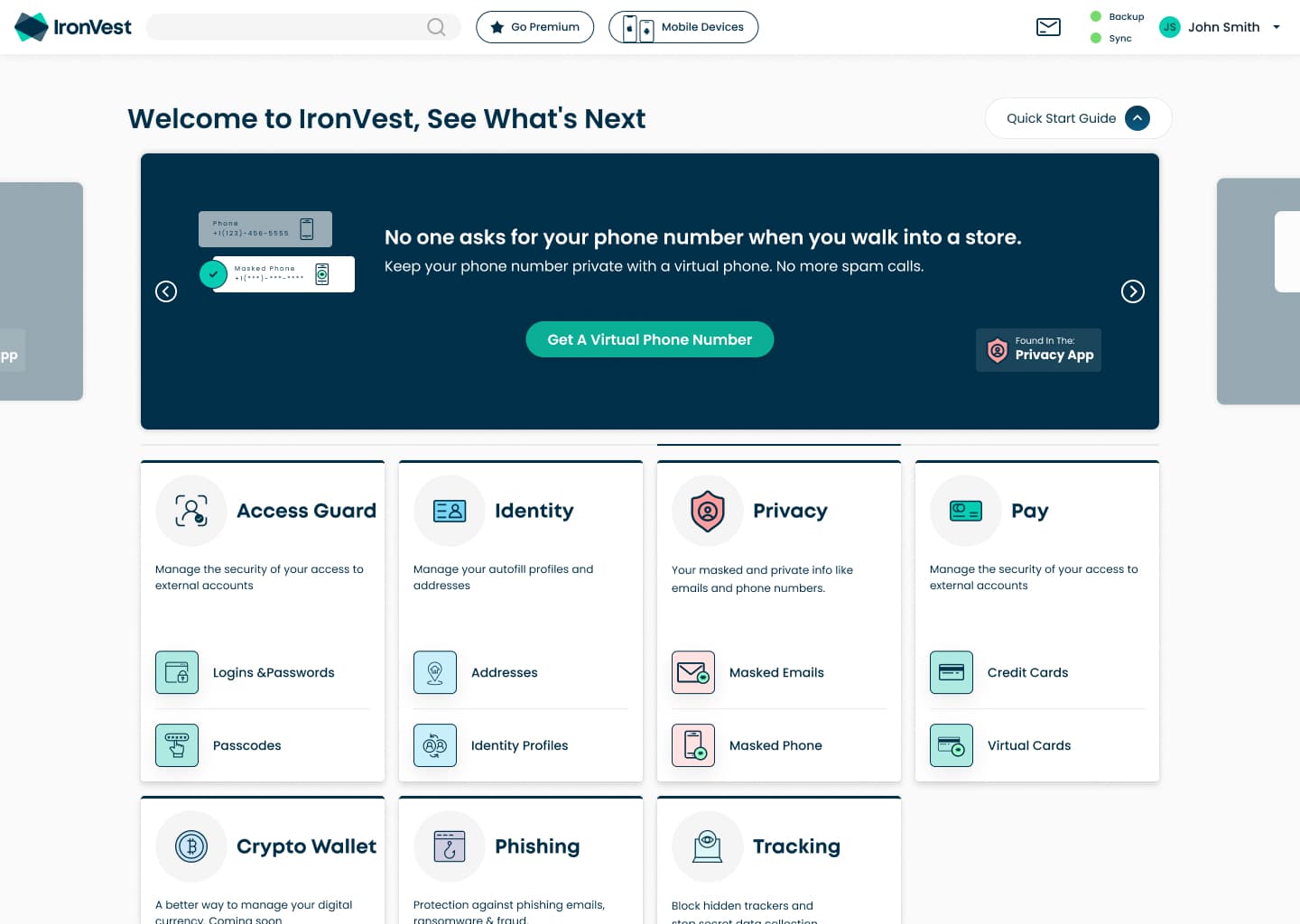
A grid of loose feature icons became a welcome page with a Quick Start Guide carousel up front and every product grouped into apps: Access Guard, Identity, Privacy and Pay.
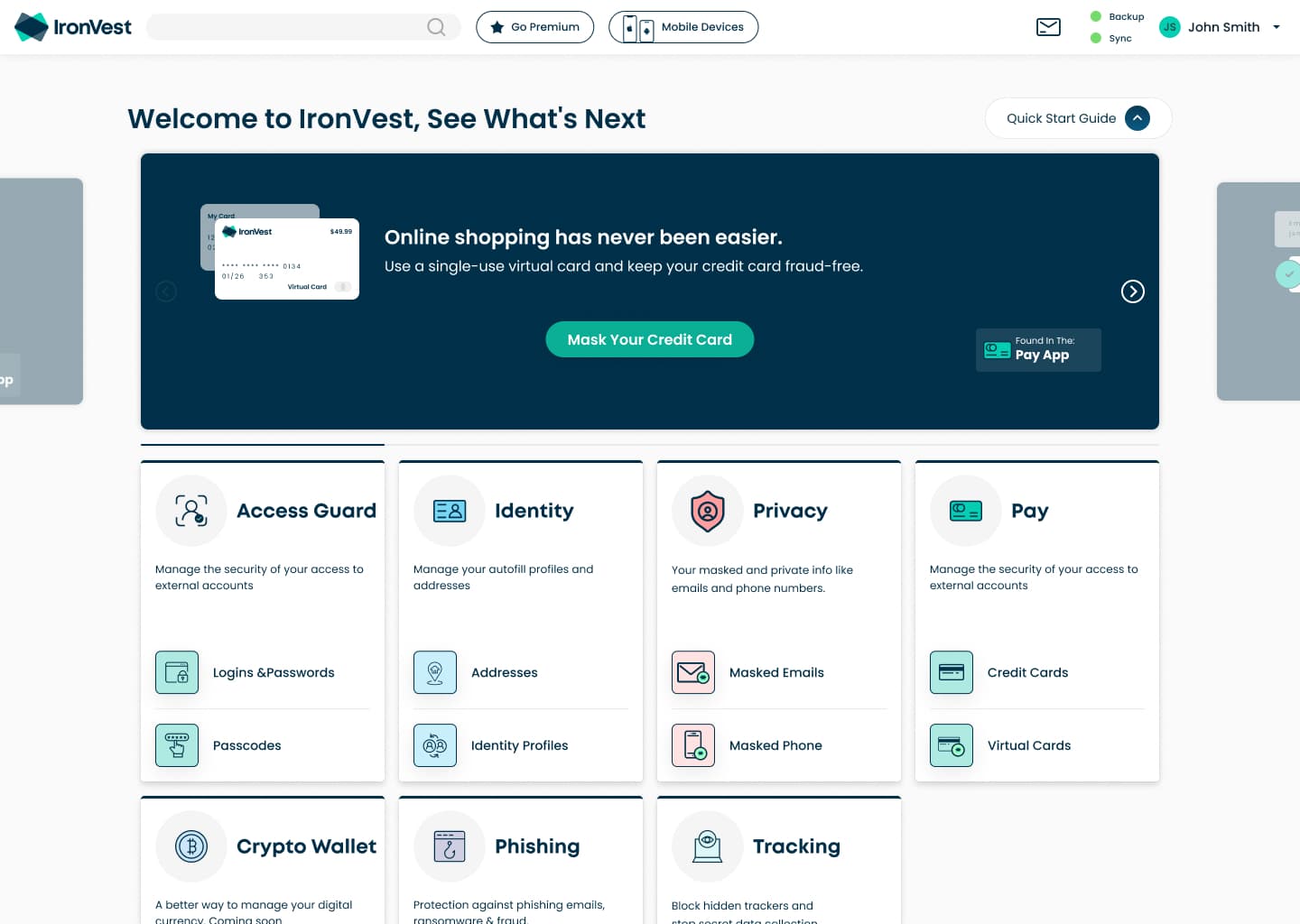
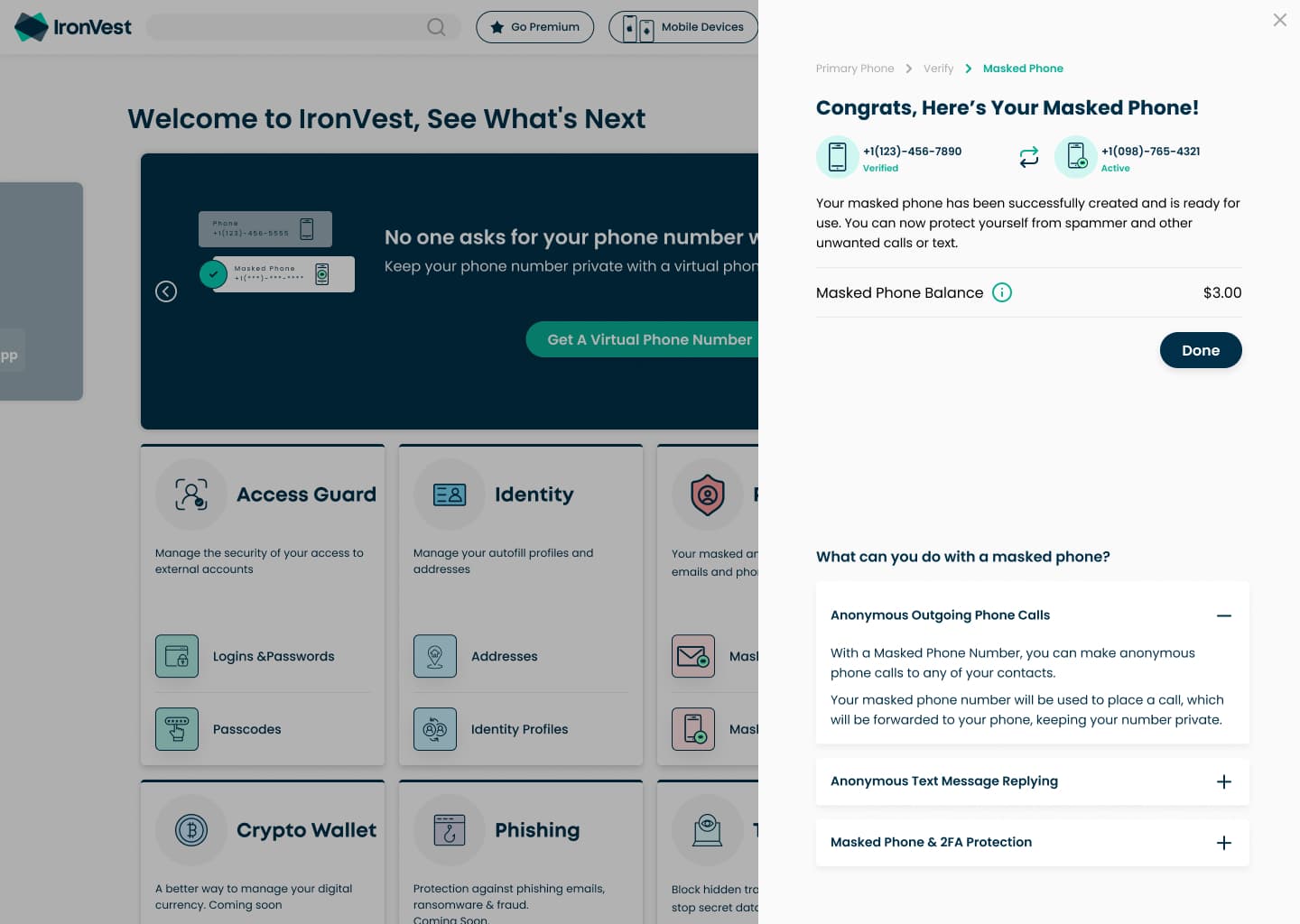
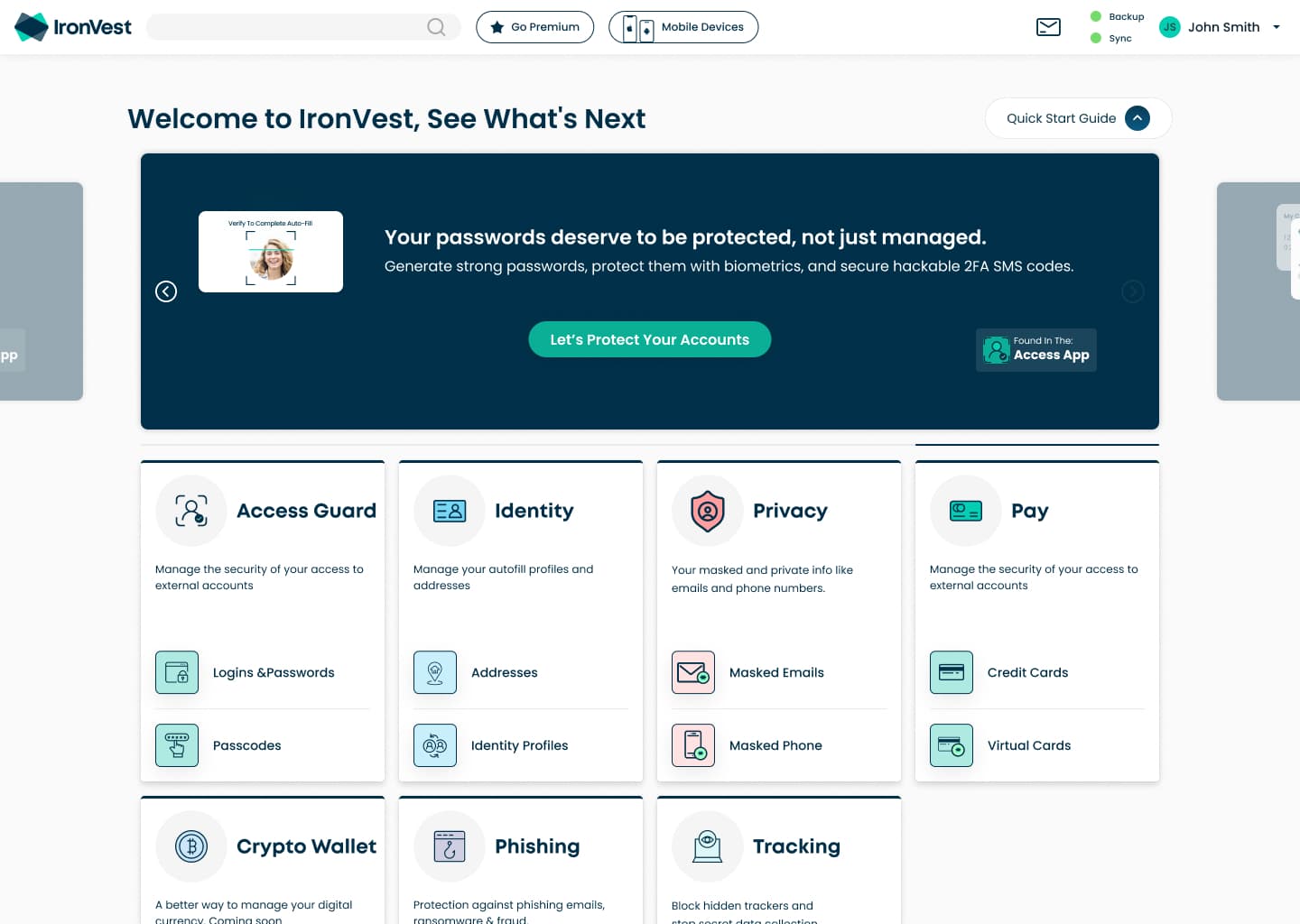
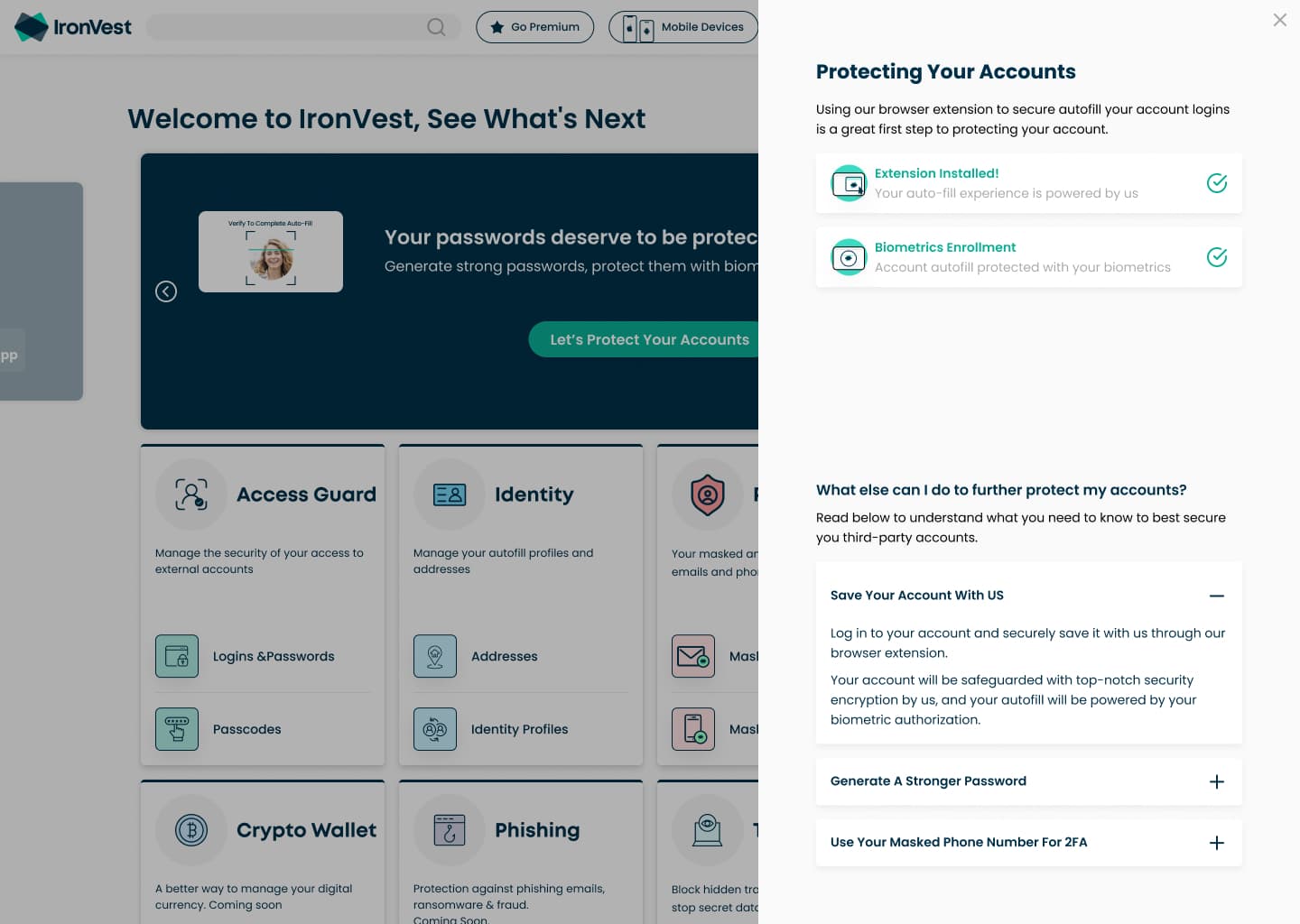
Quick Start Guide
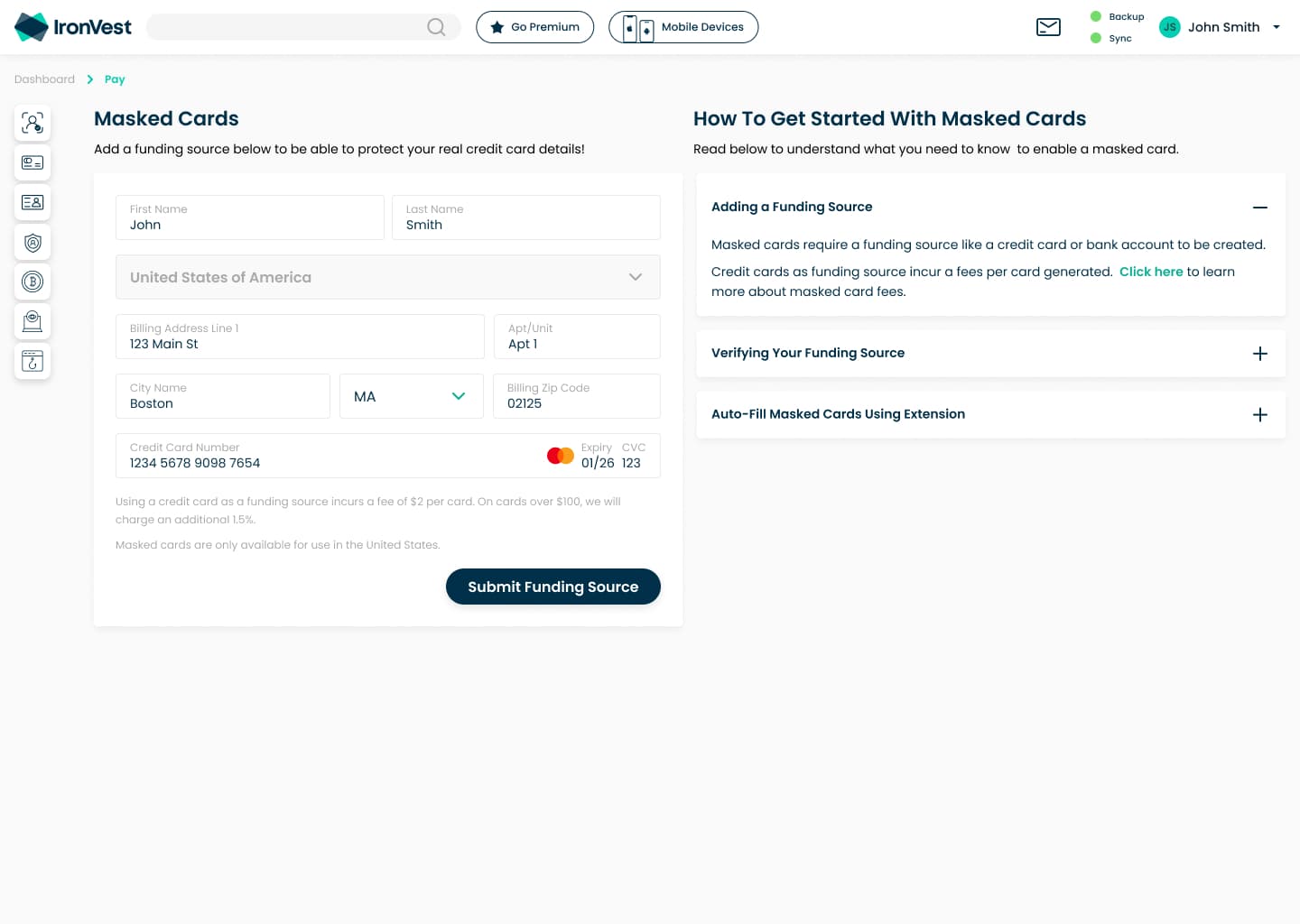
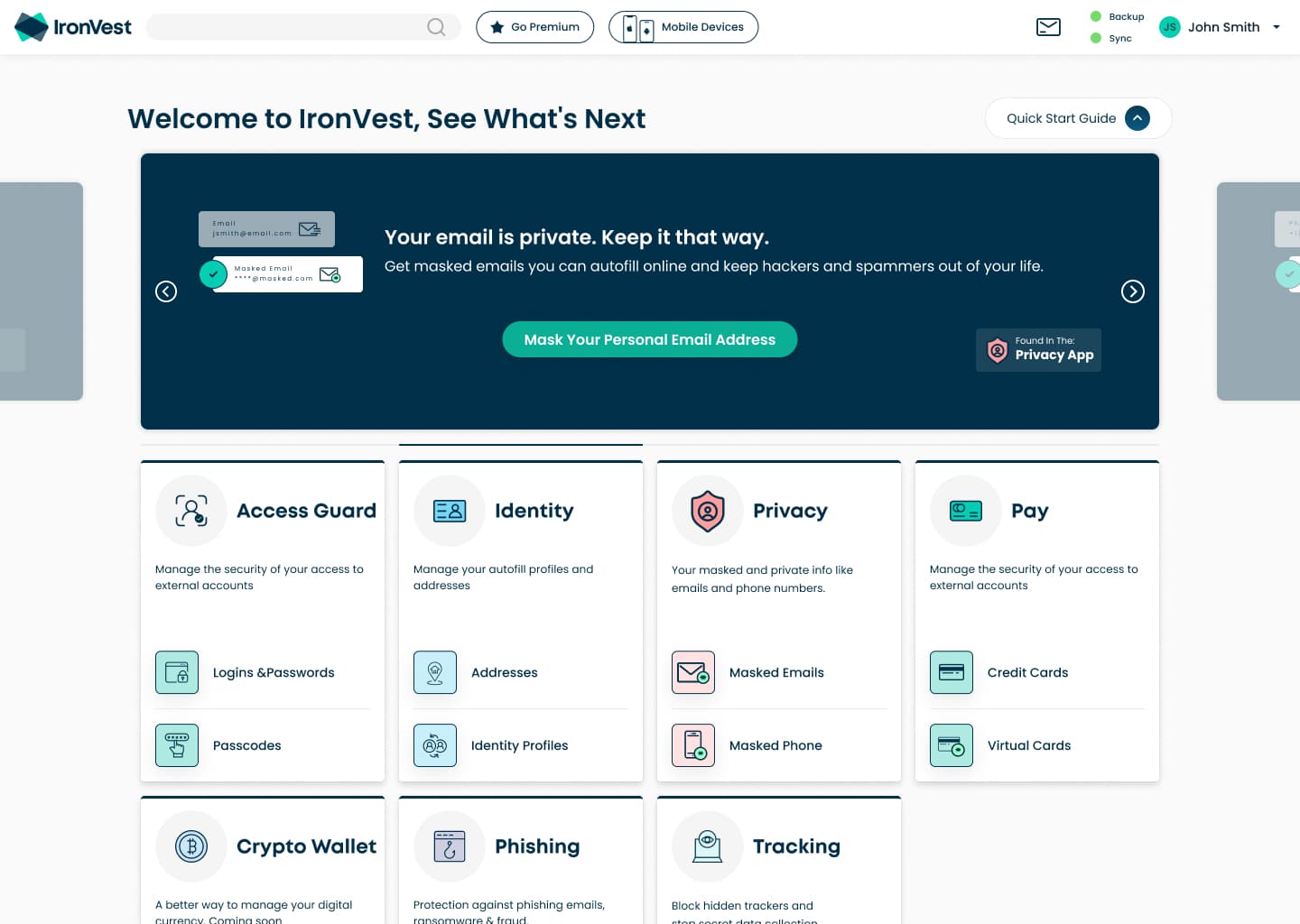
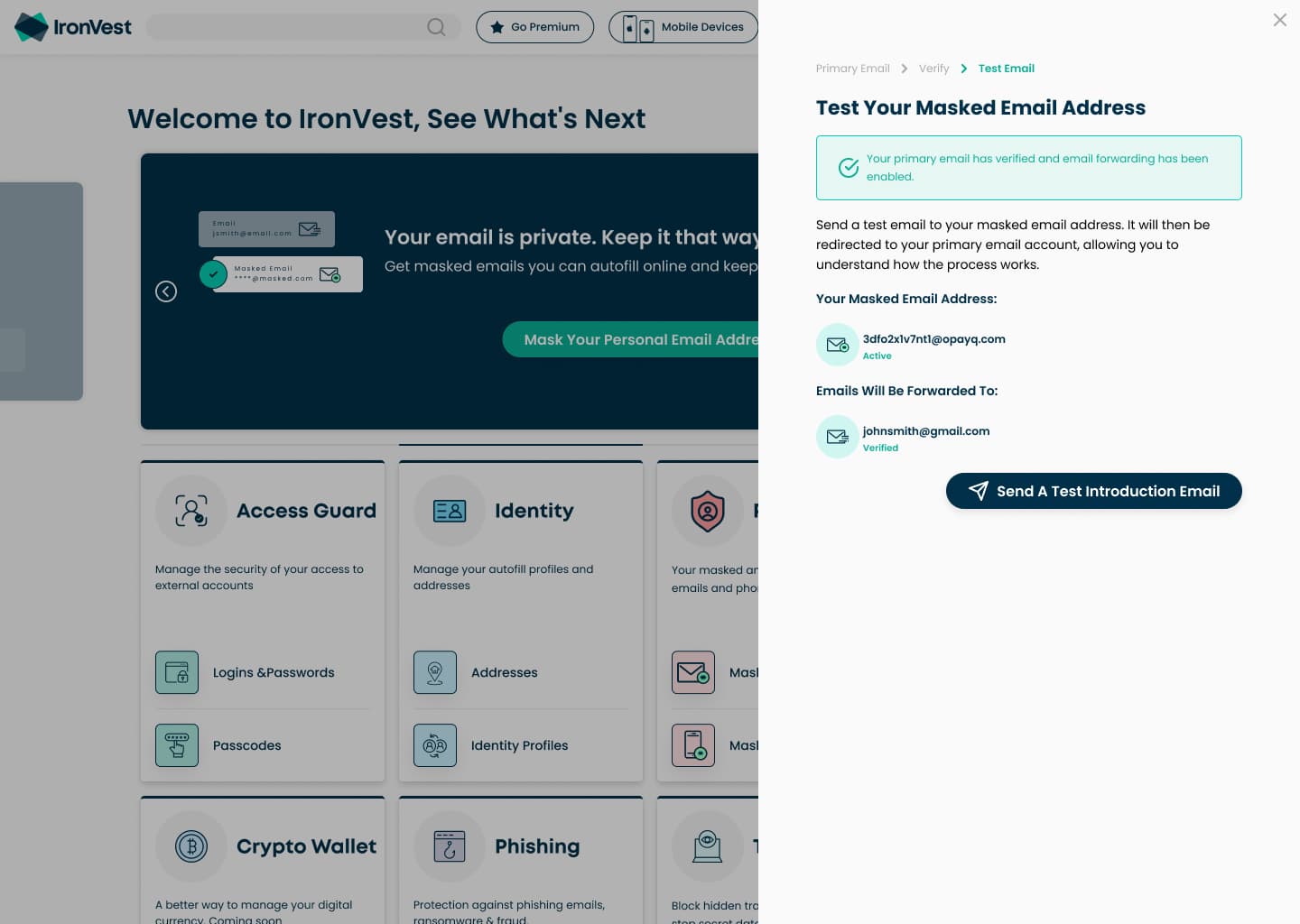
Where product setup went. A carousel at the top of the dashboard lets people choose which product to start with, then walks them through setting it up.
40%more masked credit card usage after the Quick Start Guide
| Period | Increase in usage | Change |
|---|---|---|
| Masked phone numbers | +18% | accounts with a masked phone |
| Masked emails | +22% | |
| Masked credit cards | +40% |
Authentic Action
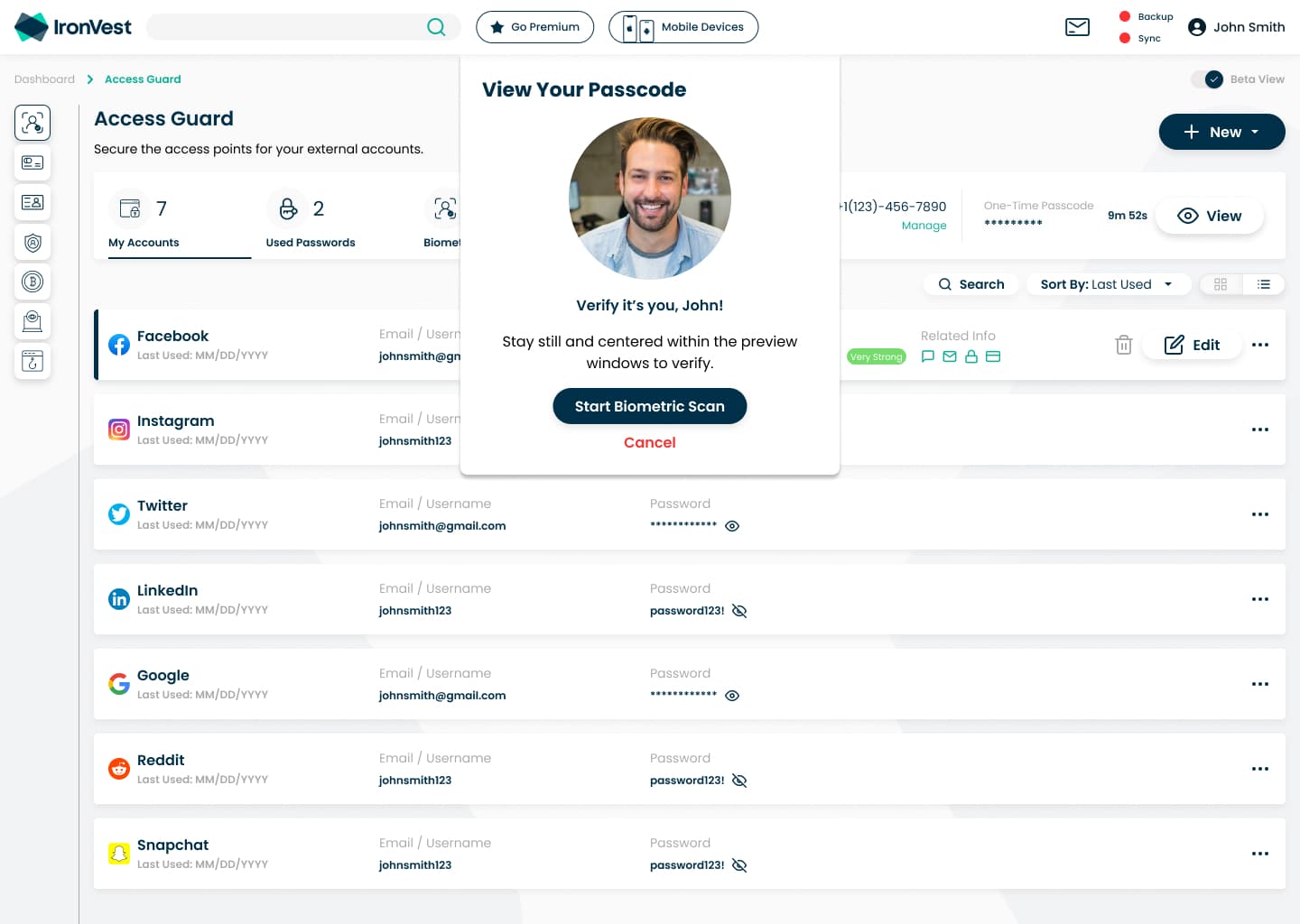
Confirming it's you with biometrics first, and a fallback for every situation.
Browser extension
A redesign for consistency and a simpler panel, plus two new features: a face scan before autofill, and protected one-time passcodes.
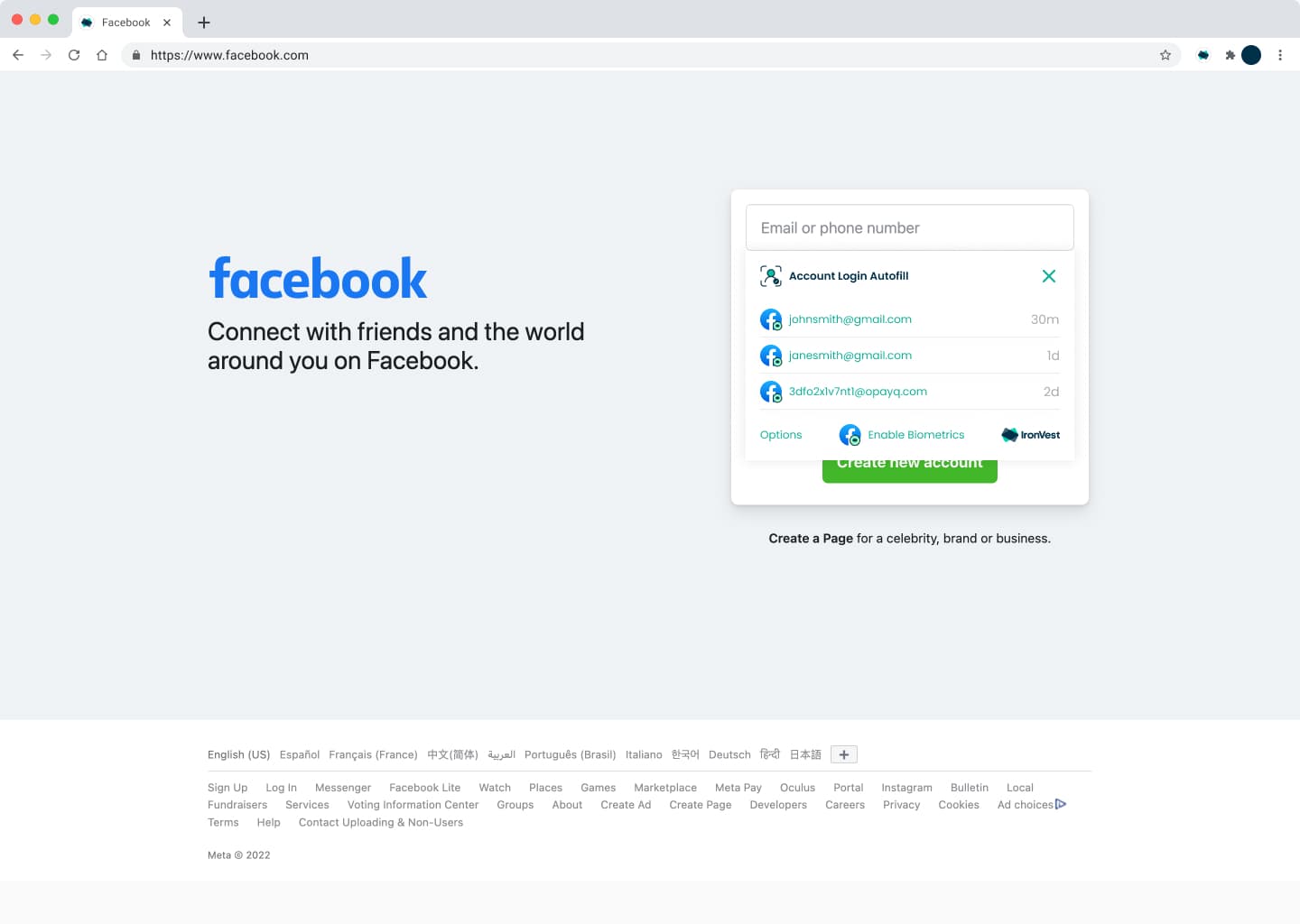
Autofill on the page. Saved accounts for the site, with biometrics one tap away.
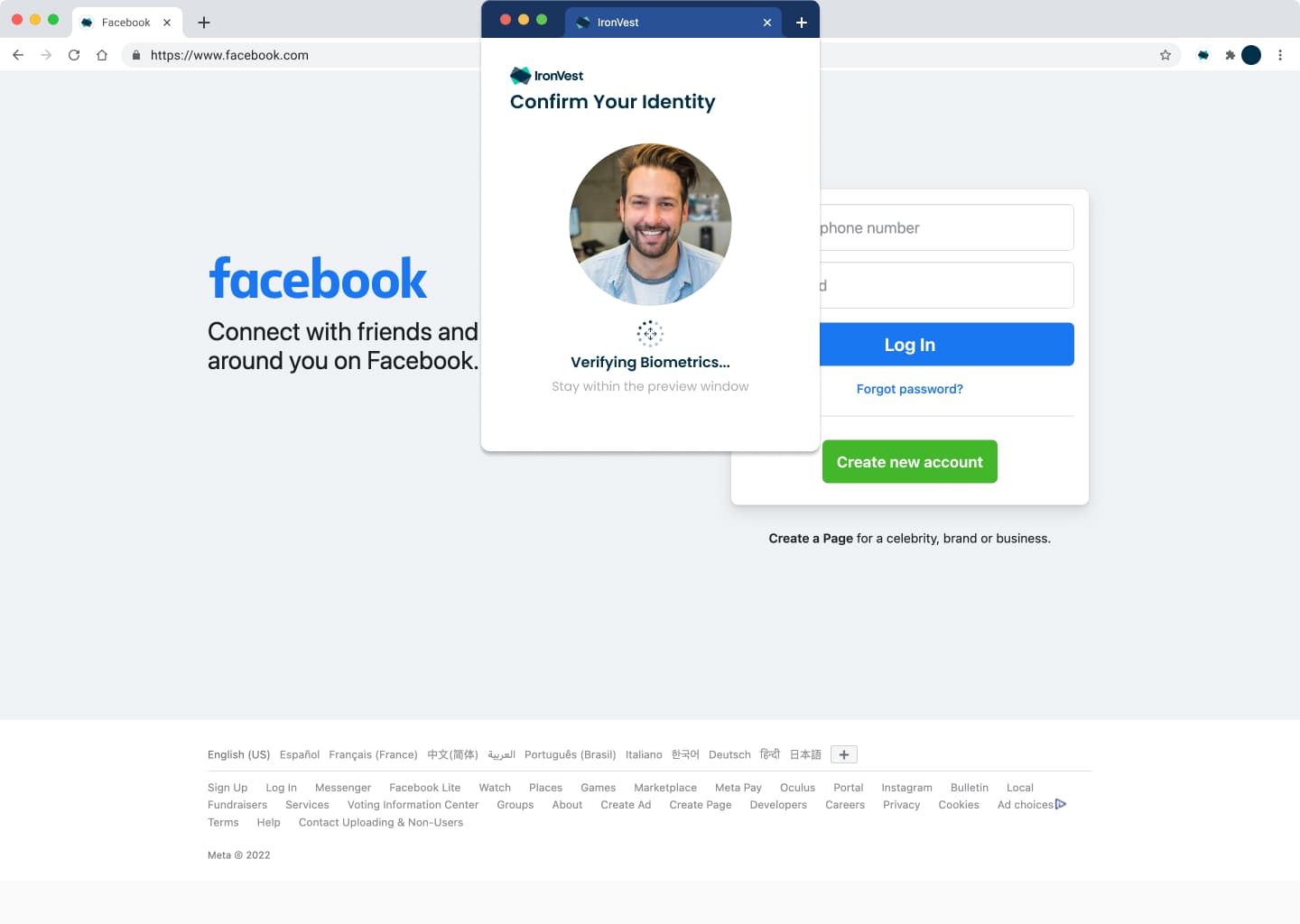
Confirm it's you. A quick face scan before anything fills in.
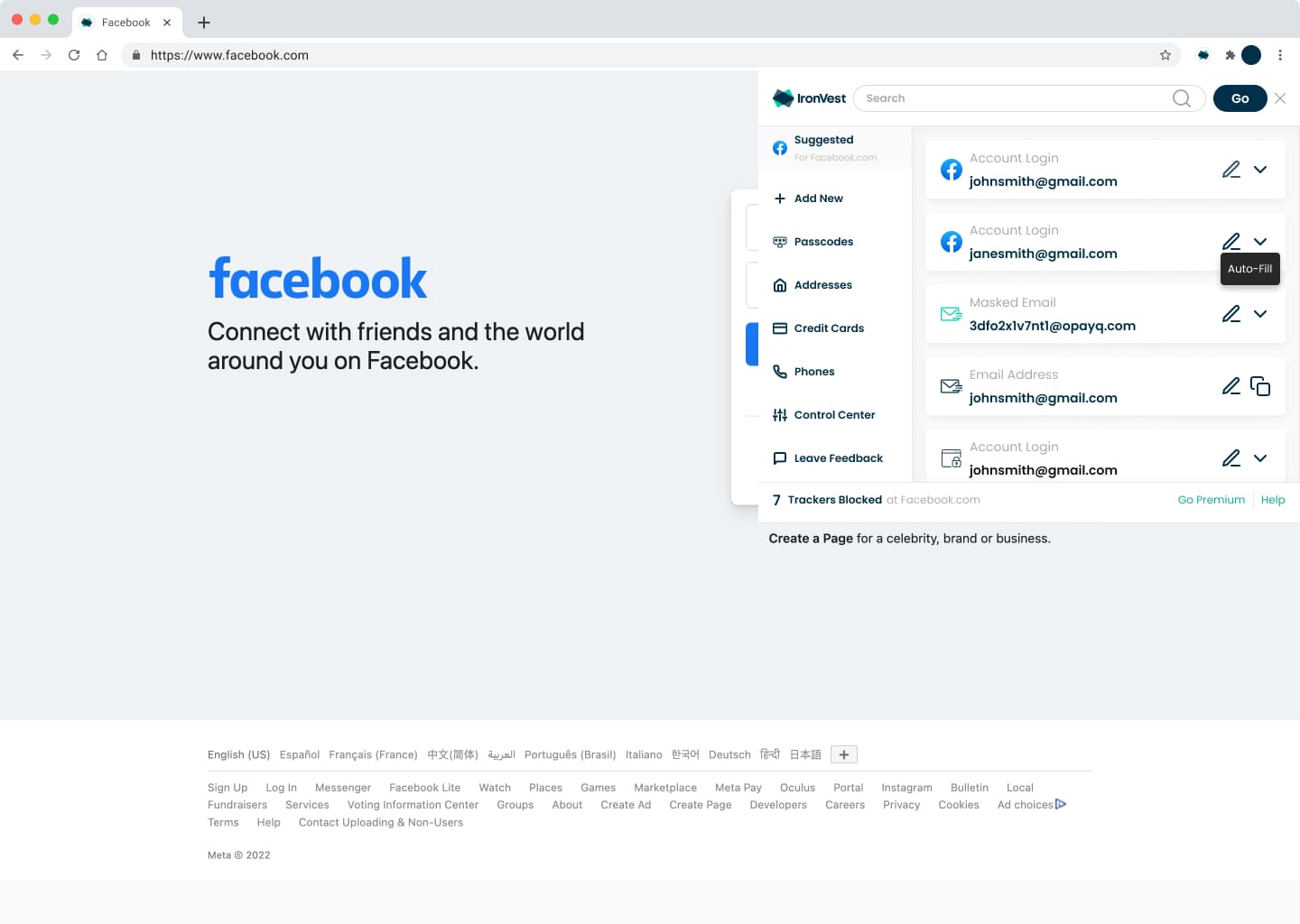
Mini-dashboard. Suggested logins for the site first, with everything else in the side navigation.
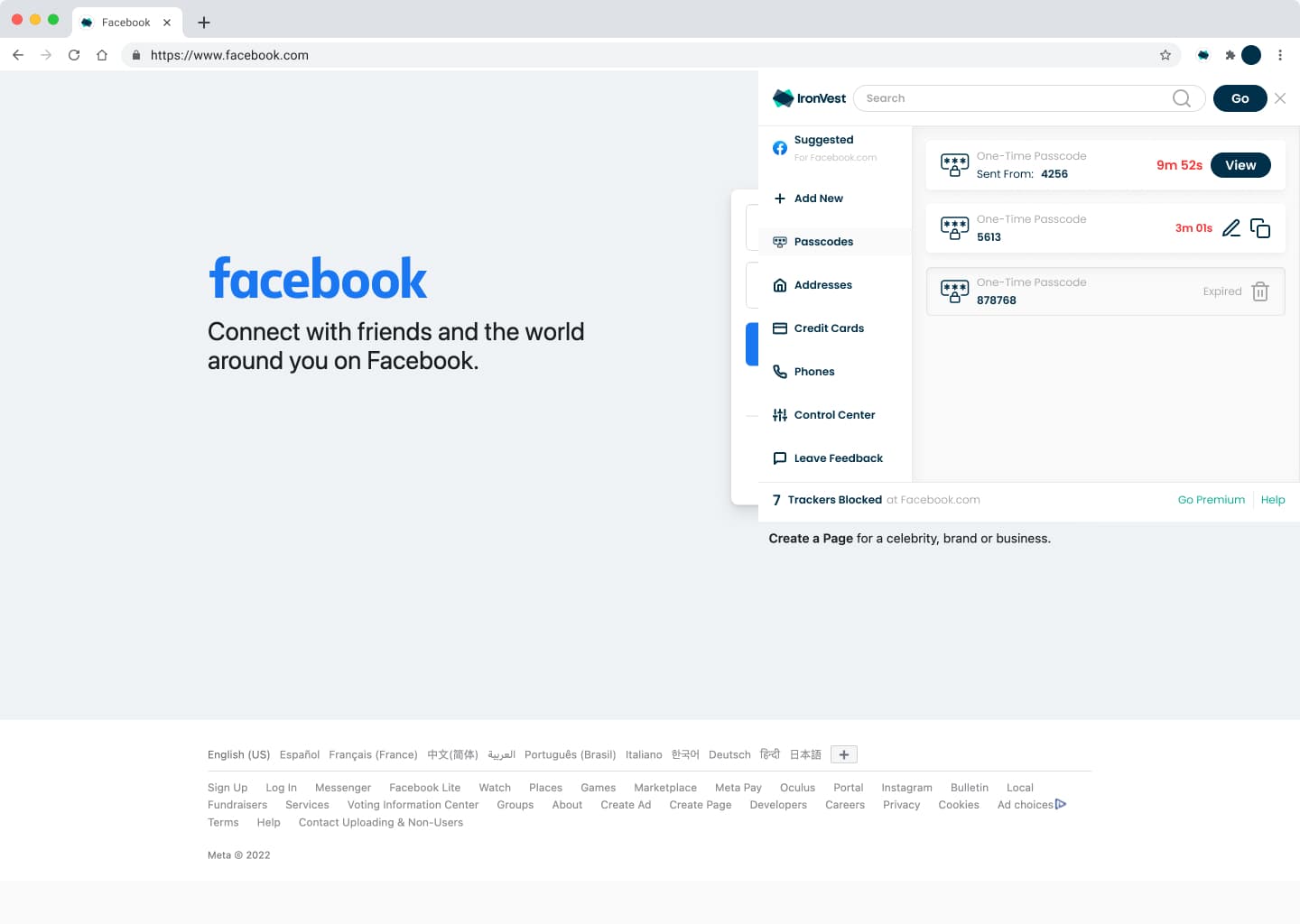
Passcodes. One-time passcodes for the user's accounts, with the time left before each expires.
Design system and super apps
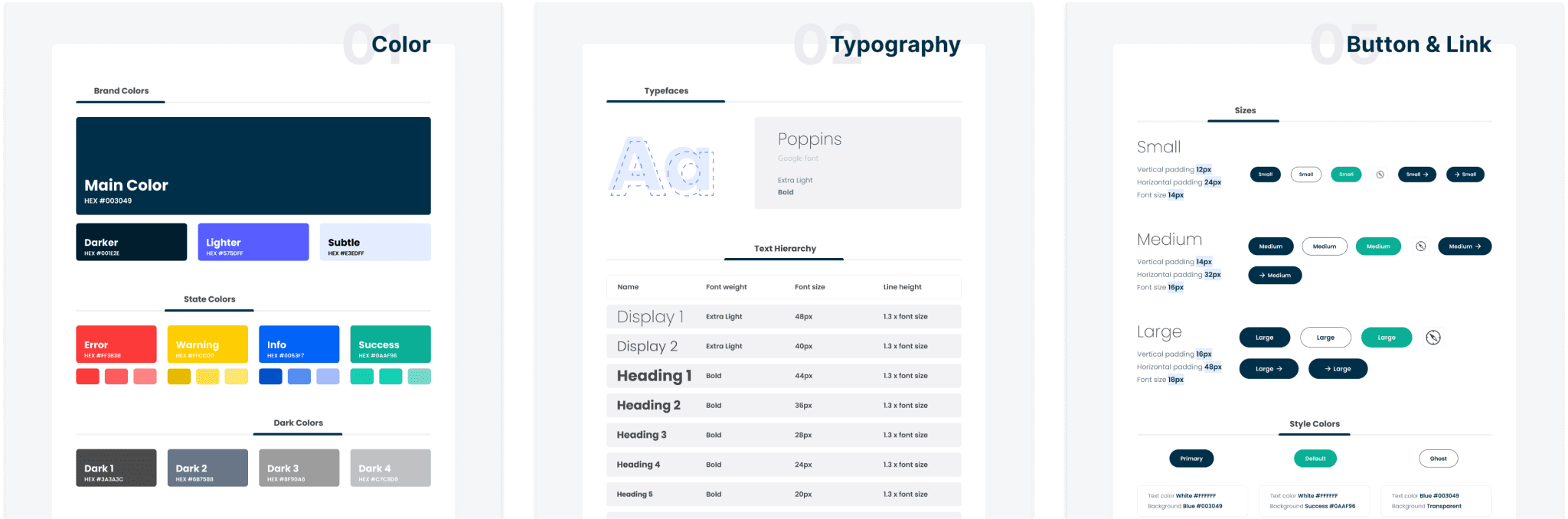
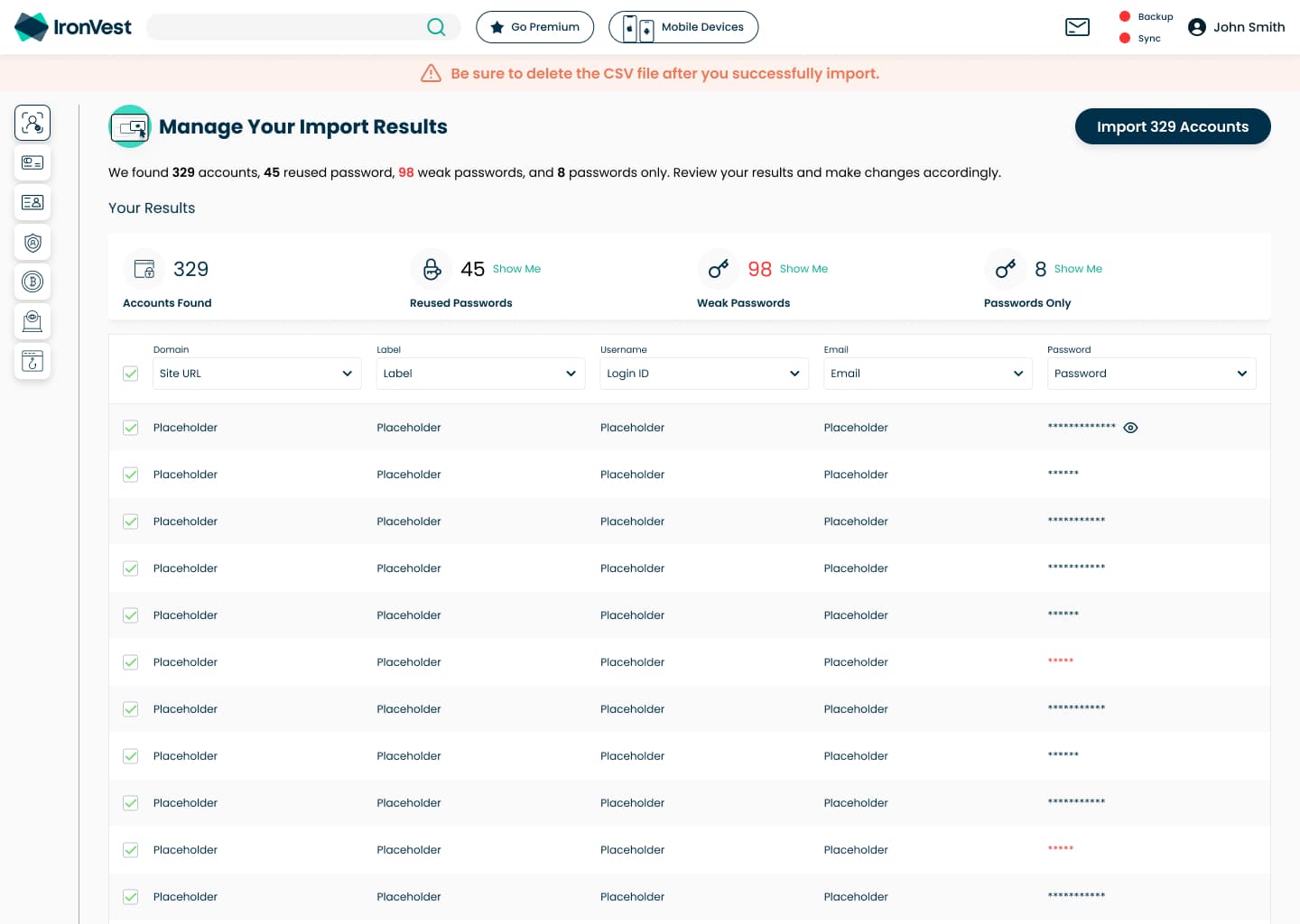
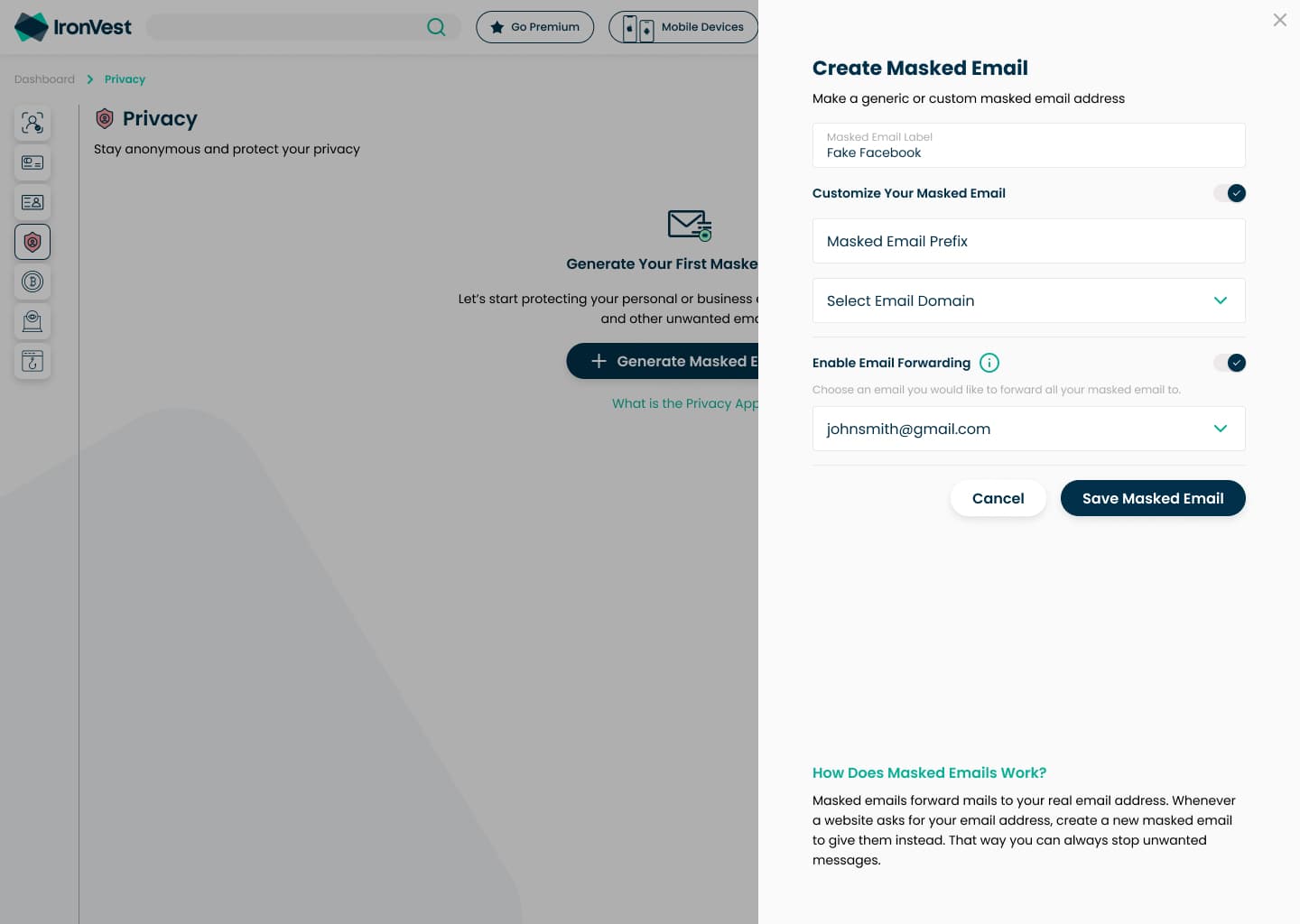
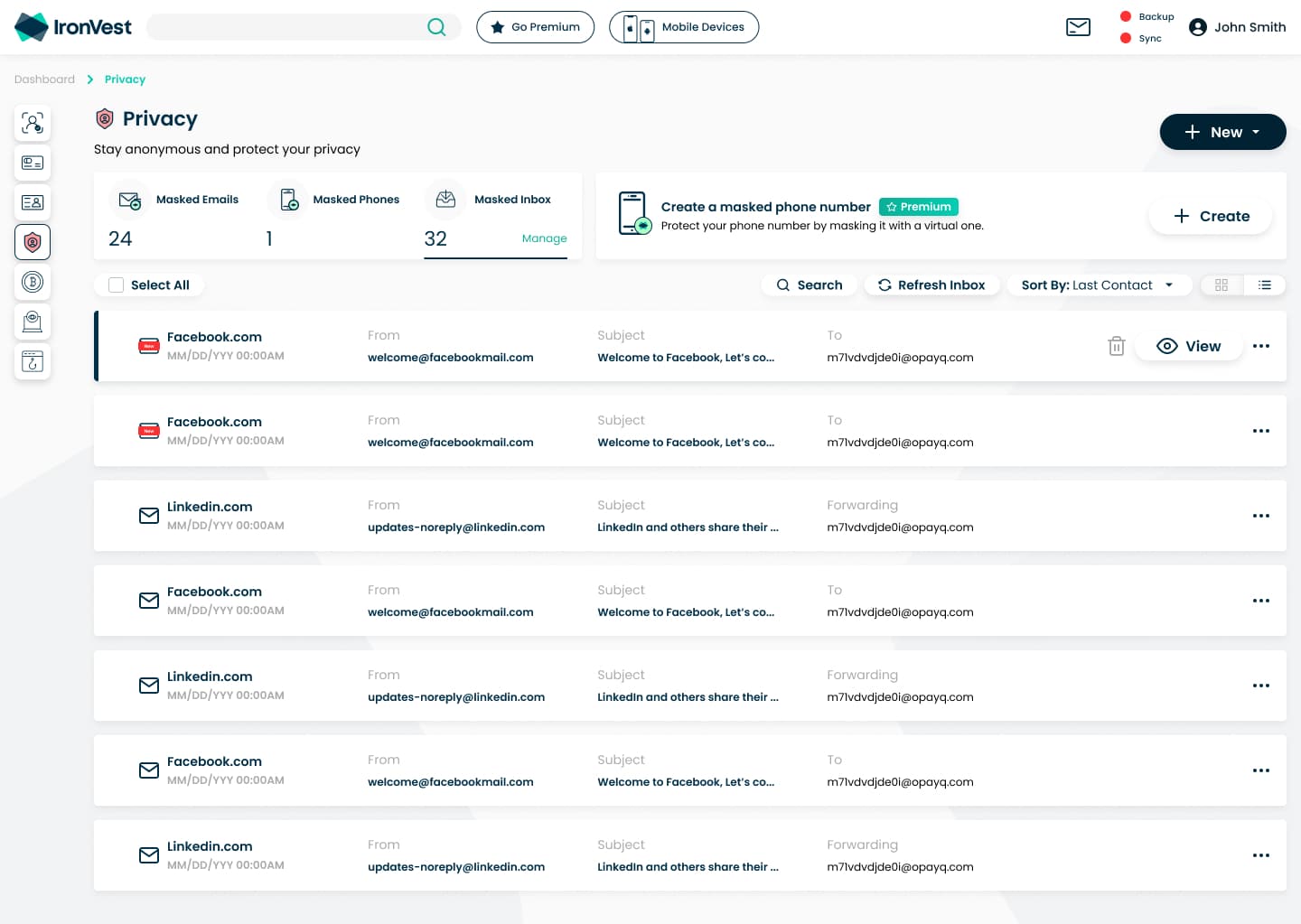
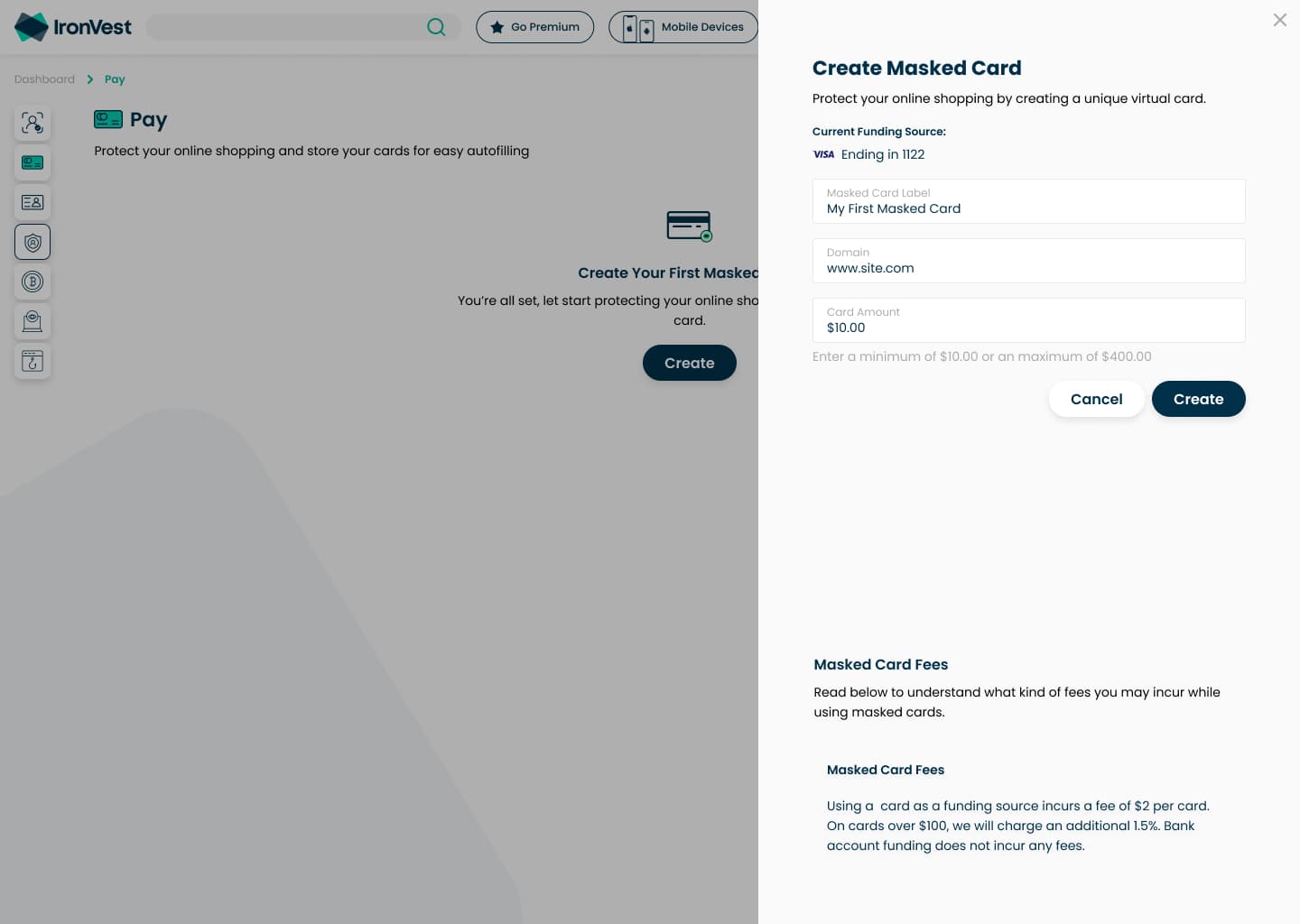
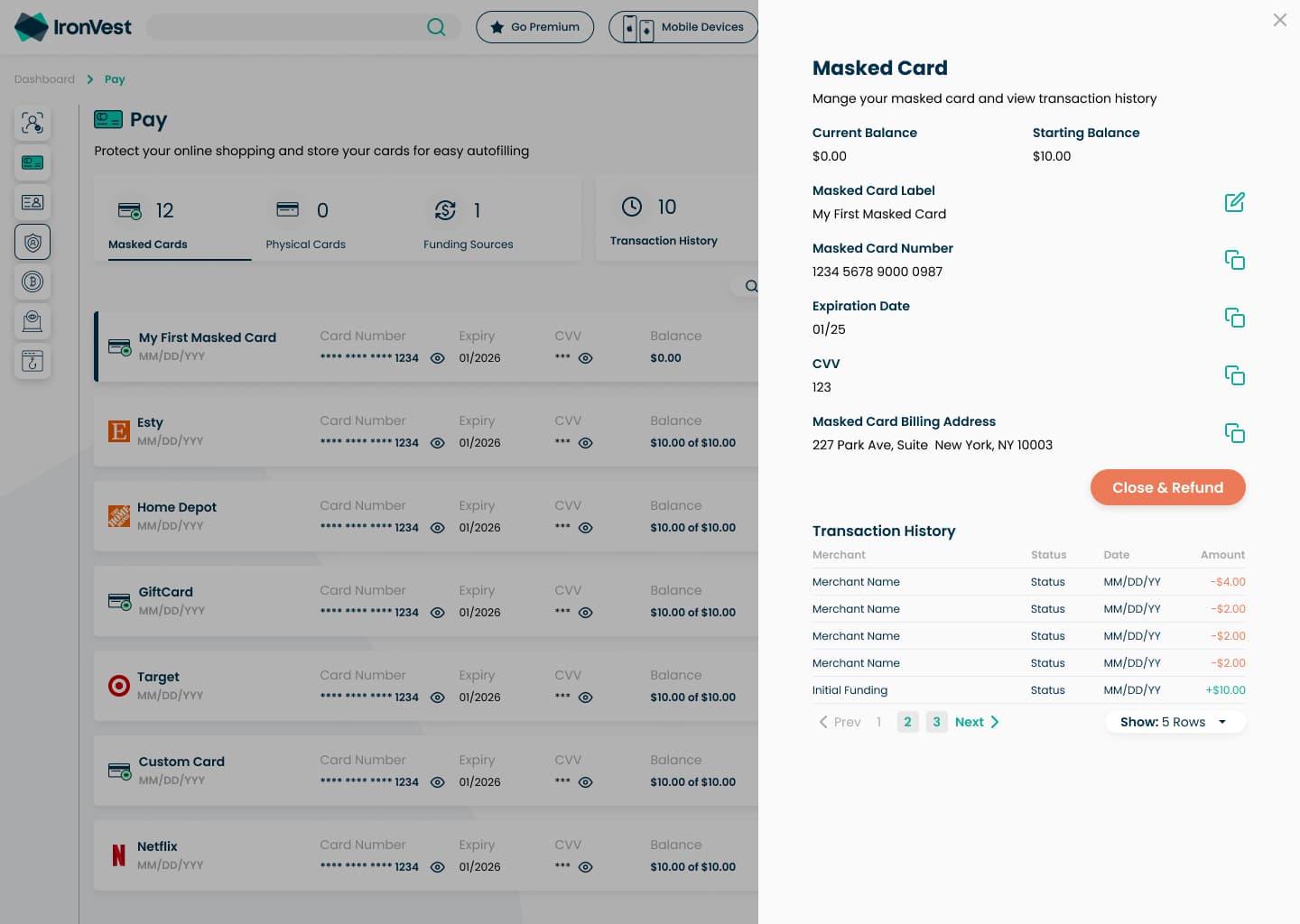
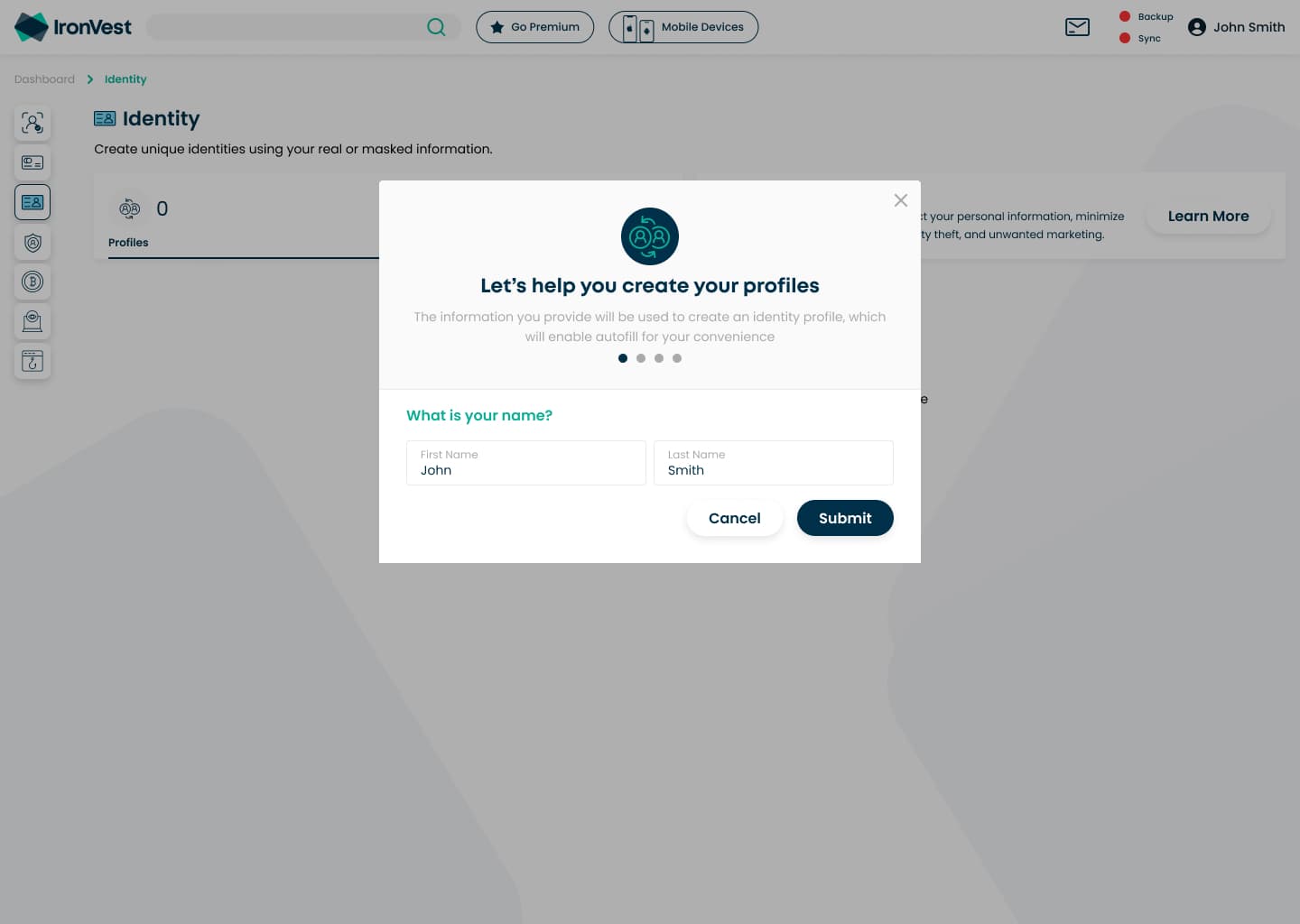
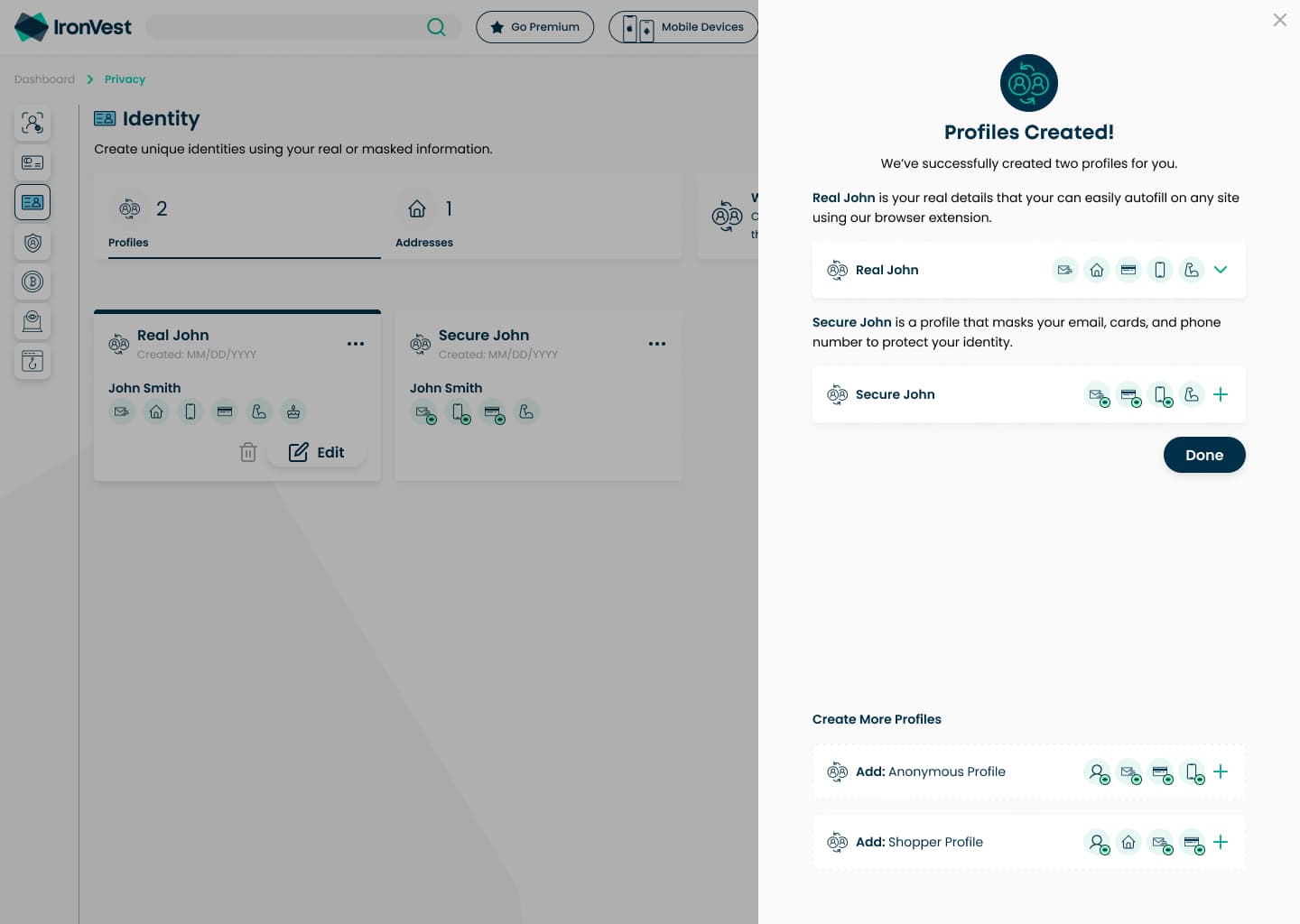
I built the design system for the rebrand and a reusable template for every product in the web app, replacing small modals with large, responsive side panels. Reusable components sped up the redesign by 30% and cut front-end implementation time by 25%.
In Retrospect
The biggest lesson was that adding steps doesn't have to slow people down. Cutting what didn't belong in onboarding made room for the steps that did, and explaining the face scan did more for enrollment than any amount of pushing would have.
If I did it again, I'd bring legal and security into the consent flow from day one, so it was designed for consent rather than reviewed for it. Biometric consent has only become more regulated since: Illinois' BIPA already required written consent, the FTC warned companies about misusing biometric data in 2023, and Colorado now requires notice and consent before collecting it. I'd also test the biometric explanation with the most skeptical users earlier, since their trust decided whether the whole product worked.
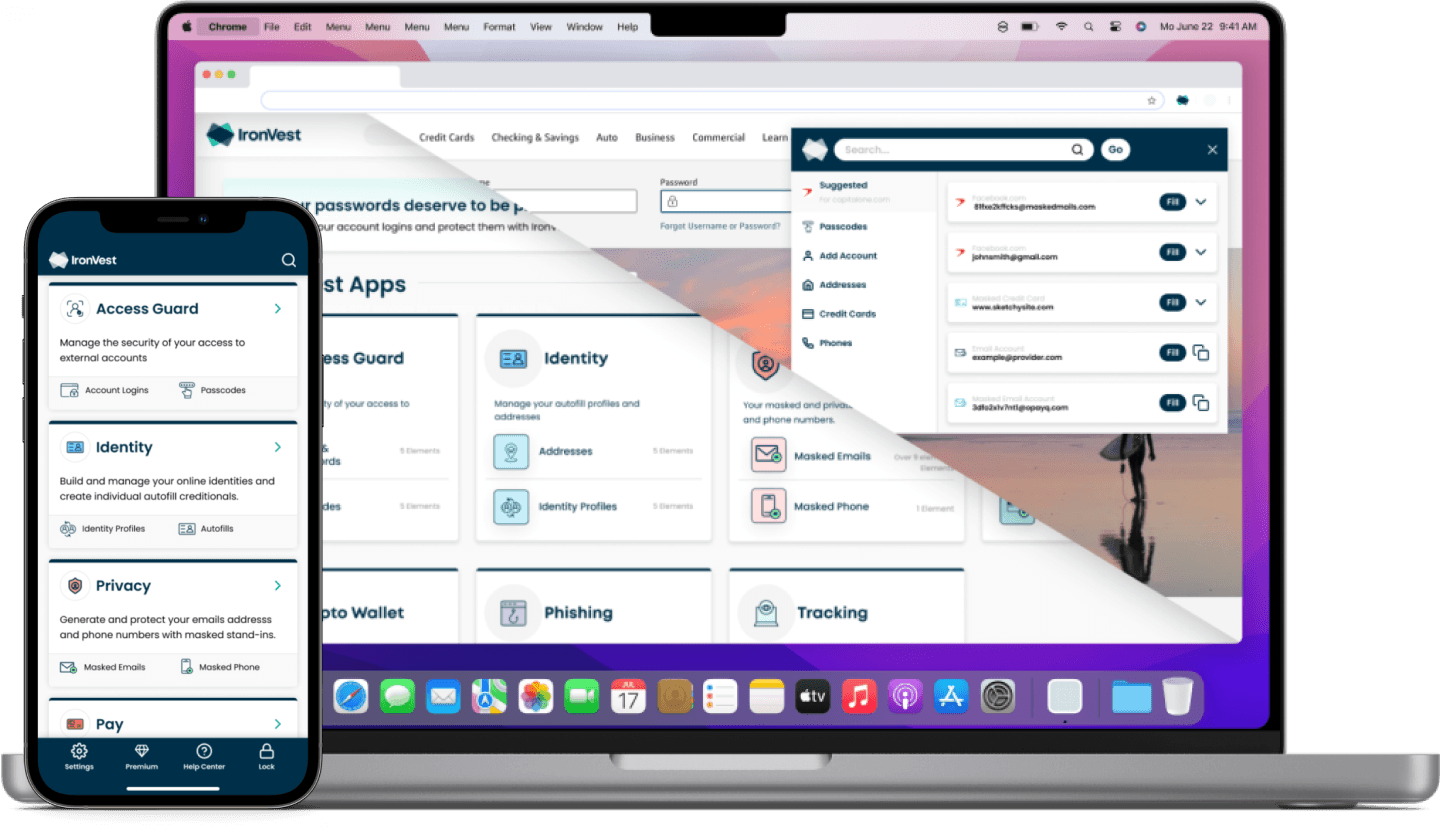
I felt lucky to work with such a talented, multicultural team, and even got to visit them in Israel. Like many startups, IronVest worked in a tough funding environment. The board decided to reduce the burn rate and condense the team, so I left before the final iterations shipped. I was proud that the design system I built shaped most of the internal products that use IronVest Authentic Action.